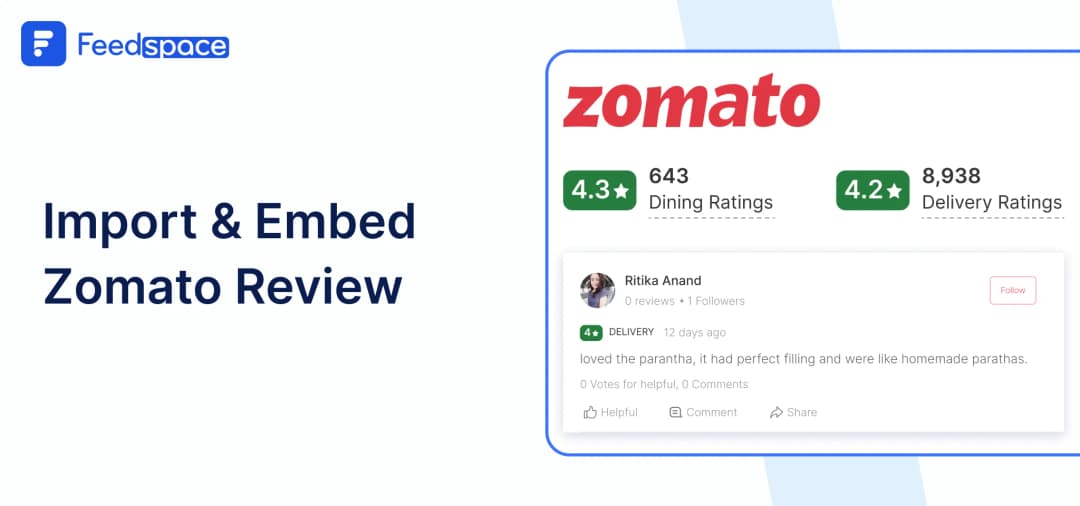
In today’s world, having an online presence is essential for any business bur especially for the food and hospitality industry it’s must. When potential customers come to your website, they mostly check reviews before making a choice. That’s where platforms like Zomato shine, where customers can provide genuine feedback.
Just imagine a customer comes to your site and sees a section filled with so many positive Zomato reviews, about your delicious food and friendly service. This immediate positive impression boosts their confidence and encourages them to make a reservation or order.
With Feedspace, you can easily import and embed Zomato reviews on your website.
Add Zomato Reviews on Your Website Using Feedspace
Feedspace is a tool that helps you bring all your reviews, feedback, and testimonials together in one place. With Feedspace, you can import Zomato reviews, organize them, and make them look amazing on your site with custom options to match your brand.
Here’s how to get started:
Import Zomato Reviews into Feedspace
Importing Zomato reviews with Feedspace is a straightforward process. Just follow these steps:
Step 1: Create A Feedspace Account
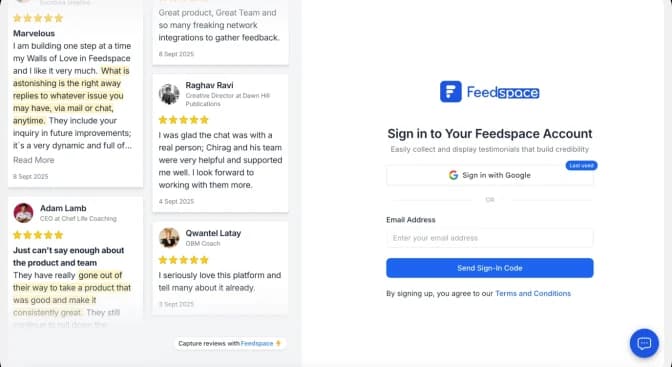
Sign up for a free Feedspace account, or log in if you already have the account.
Step 2: Start to Import Zomato Reviews
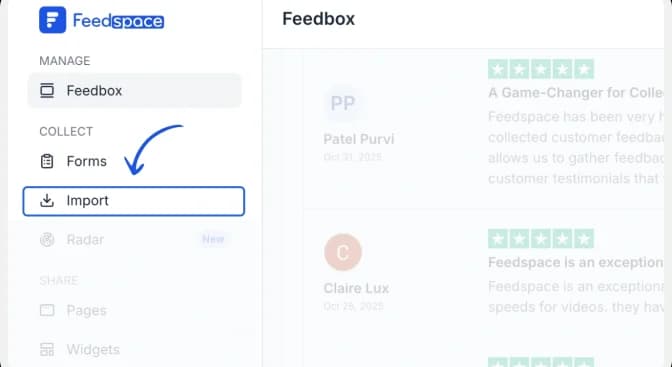
From the Feedspace dashboard, click Import in the left sidebar. Keep Automated Import selected.
Step 3: Paste the Zomato URL and fetch reviews
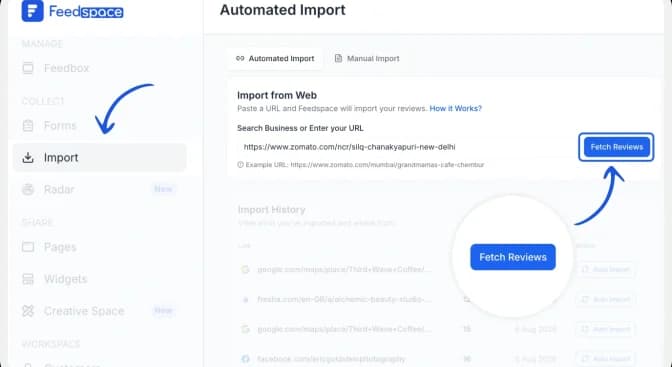
Paste the Zomato restaurant URL into the Search Business or Enter your URL field. Click Fetch Reviews and wait for Feedspace to retrieve the public reviews from the restaurant listing.
Step 4: Import the Zomato reviews
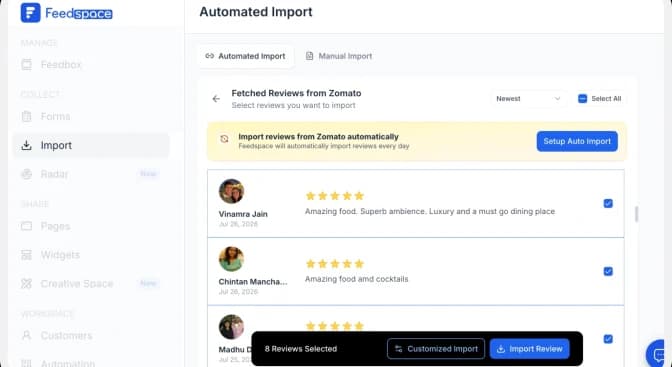
After Feedspace fetches the reviews, click Import Review to add them to your Feedspace account.
Step 5: Build Your Wall of Love
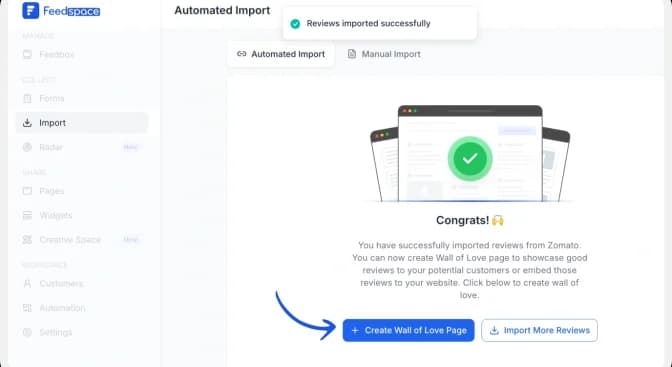
Once the import is complete, click Create Wall of Love Page. You can also open Pages from the sidebar and click Create Page.
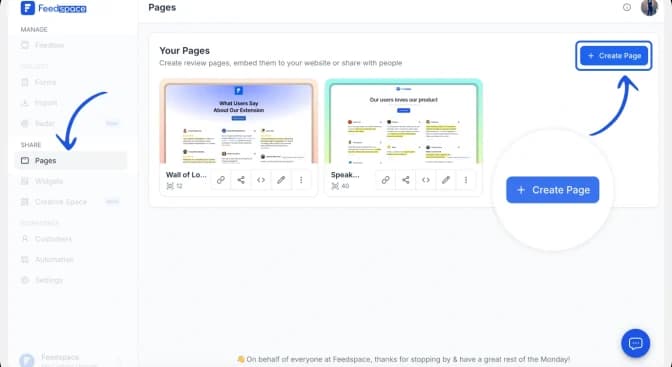
Step 6: Select Zomato Reviews to Display
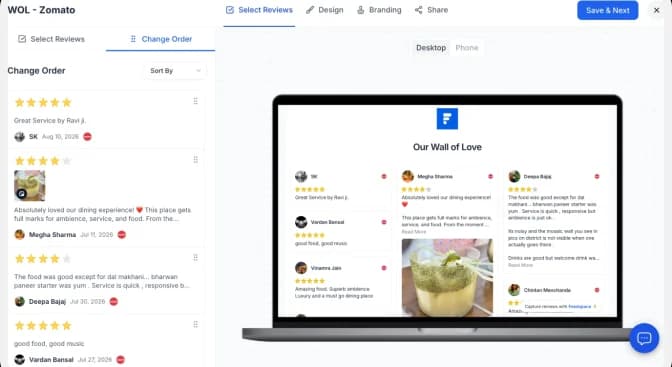
Choose the imported Zomato reviews you want to show. Use Select All to include every review or select individual reviews manually. You can change their order or use automated selection, then click Save & Next.
Step 7: Customize Your Wall of Love
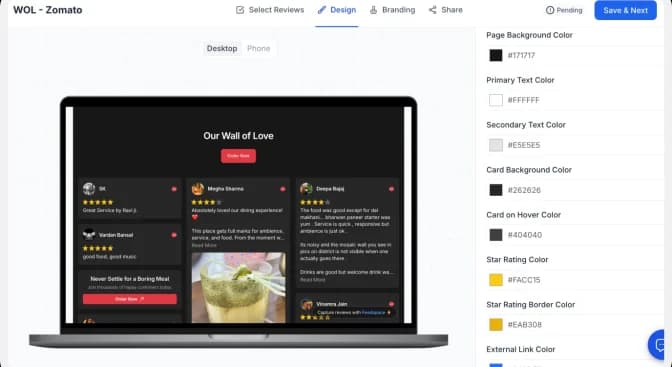
Use the Design tab to adjust the page background, text, review cards and link colours. Check the desktop and mobile previews as you work. Use the Branding tab to update the page title, description, logo and other brand details, then click Save & Next.
| Conversion tip: Match the Wall of Love to your website, keep the review cards easy to scan, and use a specific CTA such as “Book a table” or “Order online” instead of a generic “Learn more.” |
How to Embed Zomato Reviews on Your Website
Once you’ve created your Wall of Love, embedding it on your website is quick and simple:
Step 1: Copy the embed code
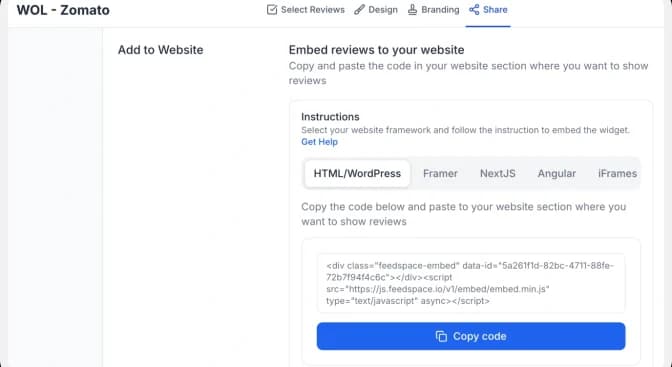
Open the Share tab and choose the framework used by your website: HTML/WordPress, Framer, Next.js, Angular or iFrames. Click Copy code.
Step 2: Paste the code into your website
Open the page where you want the reviews to appear and add an HTML, embed or custom-code block. Paste the complete Feedspace code into the block, preview the page, and publish it when the layout looks correct on desktop and mobile.
| Important: Paste the complete snippet exactly as copied. If your website builder strips scripts, use the iFrame option or follow that platform’s custom-code instructions. |
Step 3: Preview the finished Wall of Love
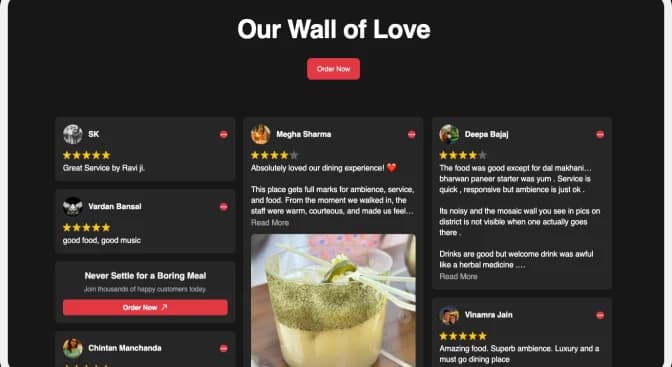
Confirm that the review cards, profile details, links and CTA display correctly. Check both desktop and mobile layouts before making the page live.
Why Embed Zomato Reviews to Your Website?
Increases the Chance of Bookings or Orders
Seeing others’ positive experiences can motivate new visitors to book a table, order a meal, or reach out for more details. Reviews give that extra nudge to convert visitors into customers.
Creates a Personal Connection
Visitors love reading personal experiences, and reviews provide a glimpse into the real interactions customers have with your business. A Wall of Love can give a warm, welcoming impression that resonates.
Improves Customer Retention and Loyalty
Positive Zomato reviews don’t just attract new customers, they remind current ones why they love your brand and encourage them to come back, creating a community of loyal patrons.
Conclusion
Adding Zomato reviews on your website with Feedspace lets you display real customer experiences and maintain a stronger connection with potential diners. By implementing these easy steps to create your own Wall of Love, you not only broaden your site’s appeal but also increase trust and credibility among visitors. So why wait? Start importing those reviews today!