
Hundreds of millions of people use Google Maps daily either to look up directions to a desired place or check out businesses, their reviews, and ratings. More the positive reviews any business has received, more likely people are going to visit it. Hence, many business owners share direct google review links or QR codes using Google Review Link Generator to get more reviews.
But, just acquiring these positive reviews is not enough. In order to build a social proof and improve your marketing efforts, it is important to use your google reviews effectively. Feedspace help you to collect, manage and embed google reviews on your website and social media handles so that you can add that trust factor and share your customer’s love for you with the world.
Add Google Reviews on Your Website Using Feedspace
If you are looking for a quick and easy tool to add your Google reviews to your website then Feedspace is for you. It has a user-friendly interface that lets you import Google reviews and embed it on to your website. Let’s check out how Feedspace does this.
Import Google Reviews into Feedspace
Step 1: Create a Feedspace Account
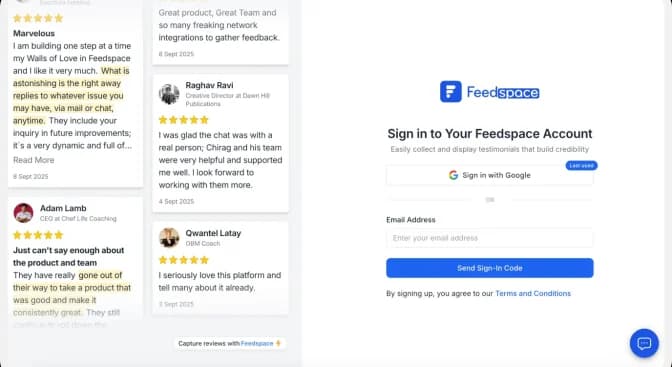
Use your Google credentials to create a new account with Feedspace or log into an existing one.
Step 2: Import Google Reviews
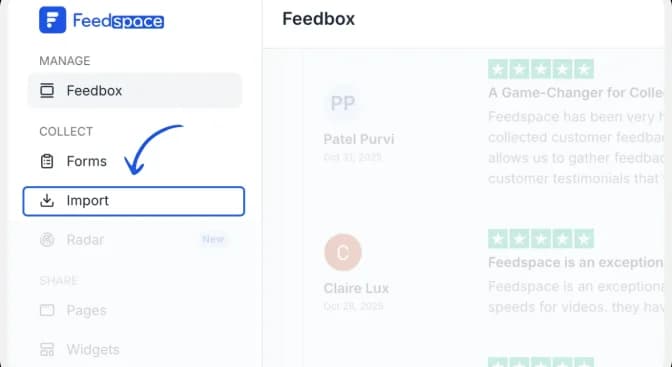
From the Feedspace dashboard, click Import in the left sidebar. Open the Import tab, then enter your business name or paste its Google Maps URL into the search field.
Step 3: Paste the URL
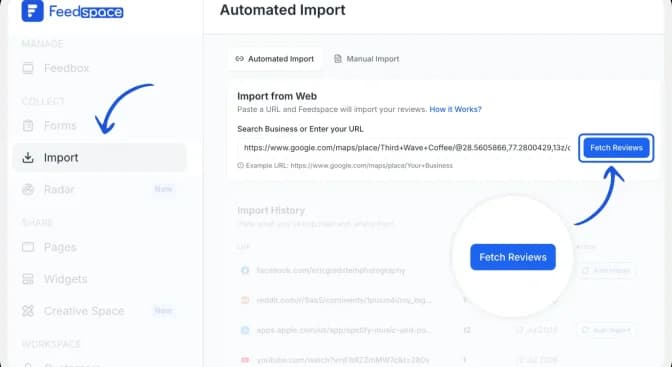
Click Search and choose the correct business from the results or paste the url. Check the business name, address, and rating to avoid importing reviews from a different listing. Then click Fetch Reviews.
Step 4: Import the Google reviews
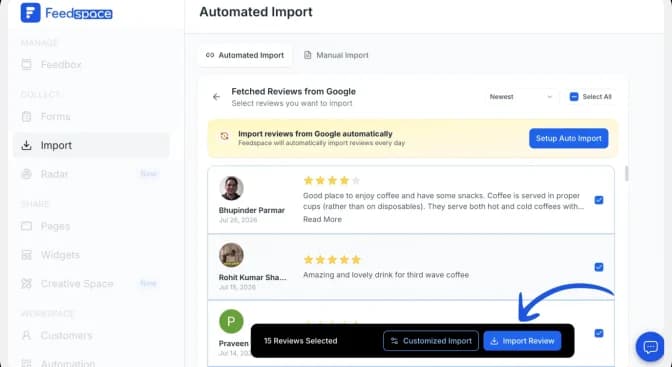
Select the reviews you want to import. You can directly click on ‘Select All’ button on the right to import all reviews at once. You can share the imported reviews on your very own Wall of Love.
But what’s a Wall of Love? Let’s check out below.
Step 5: Start Building A Wall of Love
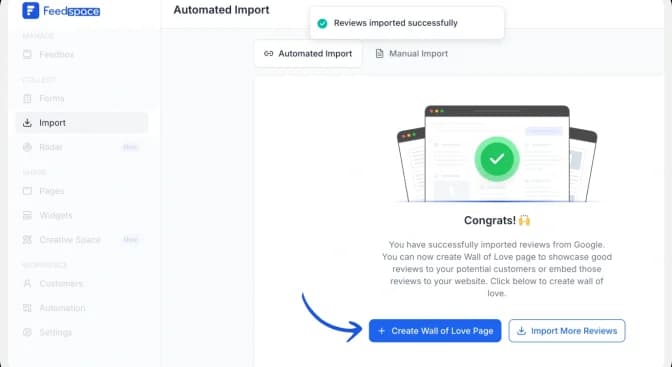
Once the import is complete, click Create Wall of Love Page. You can also open Pages from the sidebar and click Create Page.
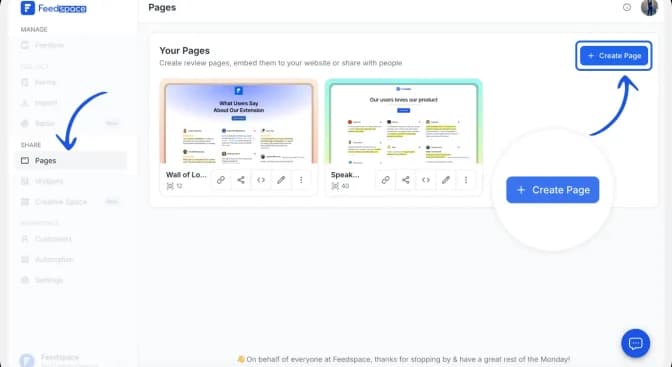
Step 6: Select the reviews to display
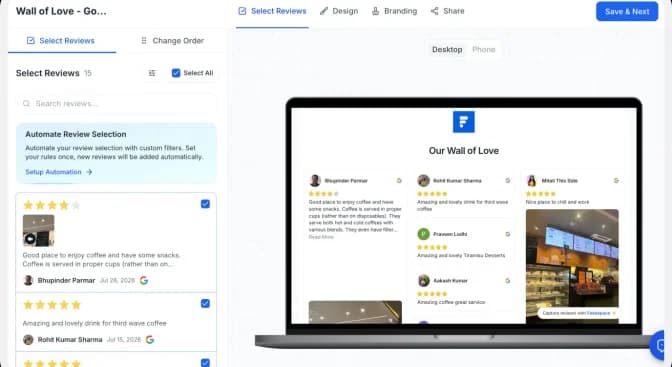
Choose the imported Google reviews you want to show on your Wall of Love. Select reviews individually or use Select All, arrange them in your preferred order, and then click Save & Next.
Choose reviews that are specific, credible, and relevant to the page where you plan to display them.
Step 7: Customize the wall of love
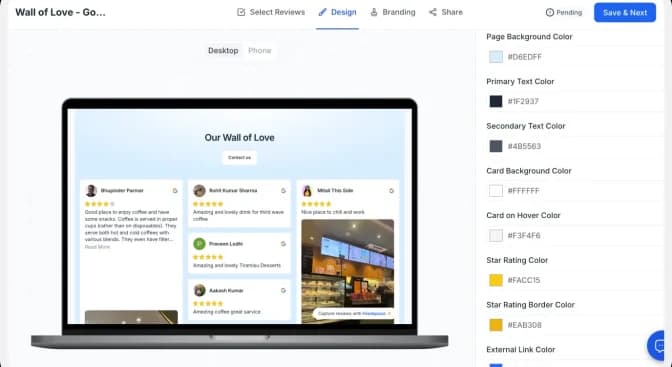
Finally, click ‘Save’ button on the top right.
Open the Design tab to adjust the background, text, review cards, star ratings, and link colours. Use the desktop and mobile previews to check how the page will appear on different screen sizes.
How to Embed Google Reviews on Website?
To add google reviews on website, you are going to need an embed a Wall of Love code. Let us understand how and where to find this code.
Step 1: Copy the embed code
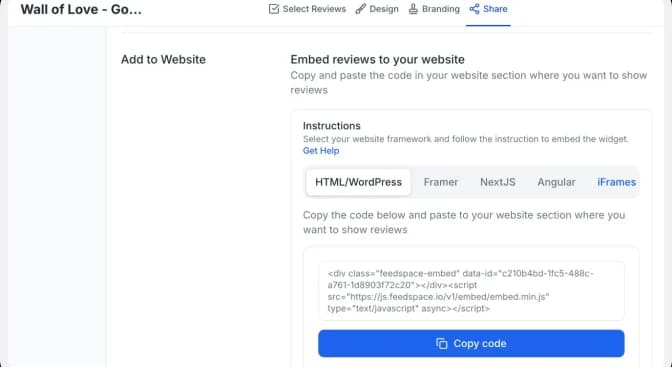
Open the Share tab and choose the framework used by your website: HTML/WordPress, Framer, Next.js, Angular or iFrames. Click Copy code.
Step 2: Paste the code into your website
Open the page where you want the comments to appear and add an HTML, embed or custom-code block. Paste the complete Feedspace code into the block, preview the page, and publish it when the layout looks correct on desktop and mobile.
| Important: Paste the complete snippet exactly as copied. If your website builder strips scripts, use the iFrame option or follow that platform’s custom-code instructions. |
Step 3: Preview the finished Wall of Love
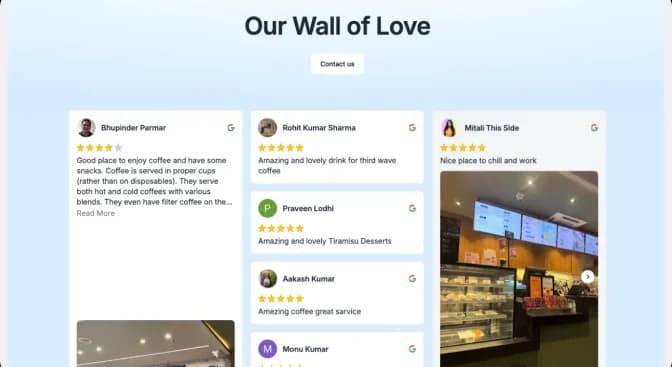
Confirm that the comment cards, profile details, links and CTA display correctly. Check both desktop and mobile layouts before making the page live.
Note: Feedspace’s Wall of Love is fully customizable, you can change the description, branding colours, light/dark them and Go to the ‘pages’ tab on the left side panel. Here you can begin building a new ‘Wall of Love’. Click on ‘+Create Page’ and name your page.
Why Embed Google Reviews to Your Website?
Social Proof
Google is considered one of the leading authorities on reviews for businesses and their practices. What better way to build social proof than to show off all the love you’ve been getting?
Helps With SEO
Google loves organic and original content. And user-generated content is the leading source for this. Having reviews from Google on your website is going to tighten your SEO and make your website favourable with Google.
Encourages Customer Participation
Customers are going to be glad to see their reviews being featured on a business site. And new visitors are going to see this and want to contribute their own reviews to the mix as well.
Conclusion
You can not simply ignore your business’s online presence and expect a significant organic growth. To grow your business in the digital era, it is important to share the positive words about your product or services from your users to create a trust among your prospects. And this is where Feedspace comes into the picture.
Feedspace offers easy and affordable solution to import and embed google reviews on your site and share it on social media channels, so that you can display and share a genuine but positive customer reviews. Why wait any longer? Get started for free today with Feedspace!