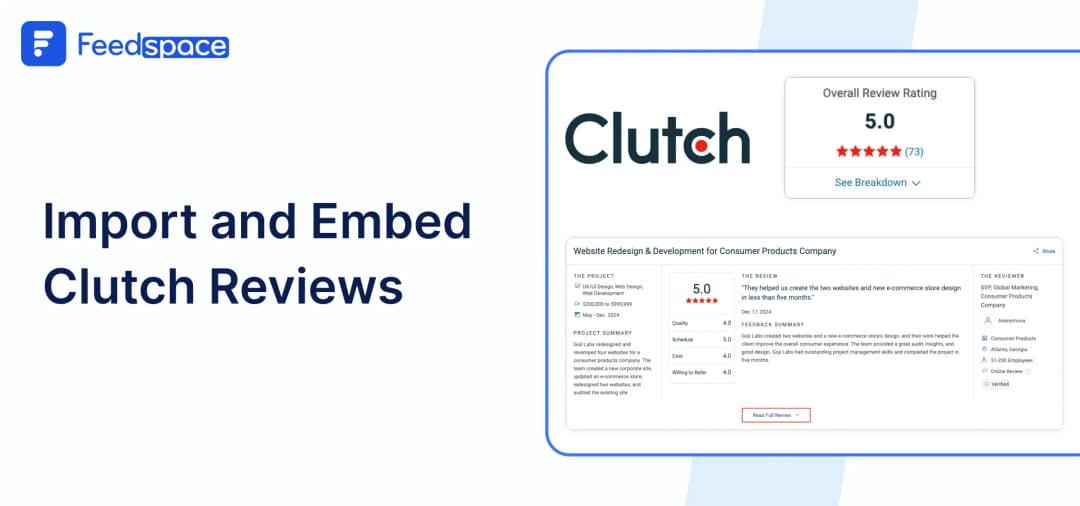
Clutch is where enterprise buyers go to shortlist agencies. A verified Clutch review with a client interview behind it carries more weight in a B2B sale than 50 Google reviews. But most agencies leave those reviews locked on Clutch’s domain.
Embedding your Clutch reviews on your own website brings that credibility into every proposal, every pricing page, and every first impression. Here’s how to do it free, in under 5 minutes.
Feedspace can greatly lower the effort that you would have to put in if you tried to import and display reviews manually.
A testimonial collection tool can significantly amplify your efforts while minimizing workload. With its state-of-the-art features, Feedspace provides unique solutions to problems you didn’t know existed.
Let’s take a look at how Feedspace can aid you.
Use Feedspace to Add Clutch Reviews on Your Website
Feedspace is a testimonial collection tool. It enables you to collect reviews in the form of video, audio, or text. Using Feedspace, you can easily generate a review request form in seconds using a simple prompt. What’s more? Feedspace allows you to import reviews from multiple sources and display them at your very own Wall of Love.
All in all, Feedspace can:
- Generate a review request form in seconds.
- Enable you to collect video, audio, and text reviews.
- Import reviews from multiple platforms.
- Display all reviews on a customizable Wall of Love.
Let’s see how you can import clutch reviews in Feedspace in a few simple steps.
How to Import Clutch Reviews in Feedspace?
Follow the steps below to import reviews from Clutch in Feedspace.
Step 1: Create a Feedspace Account
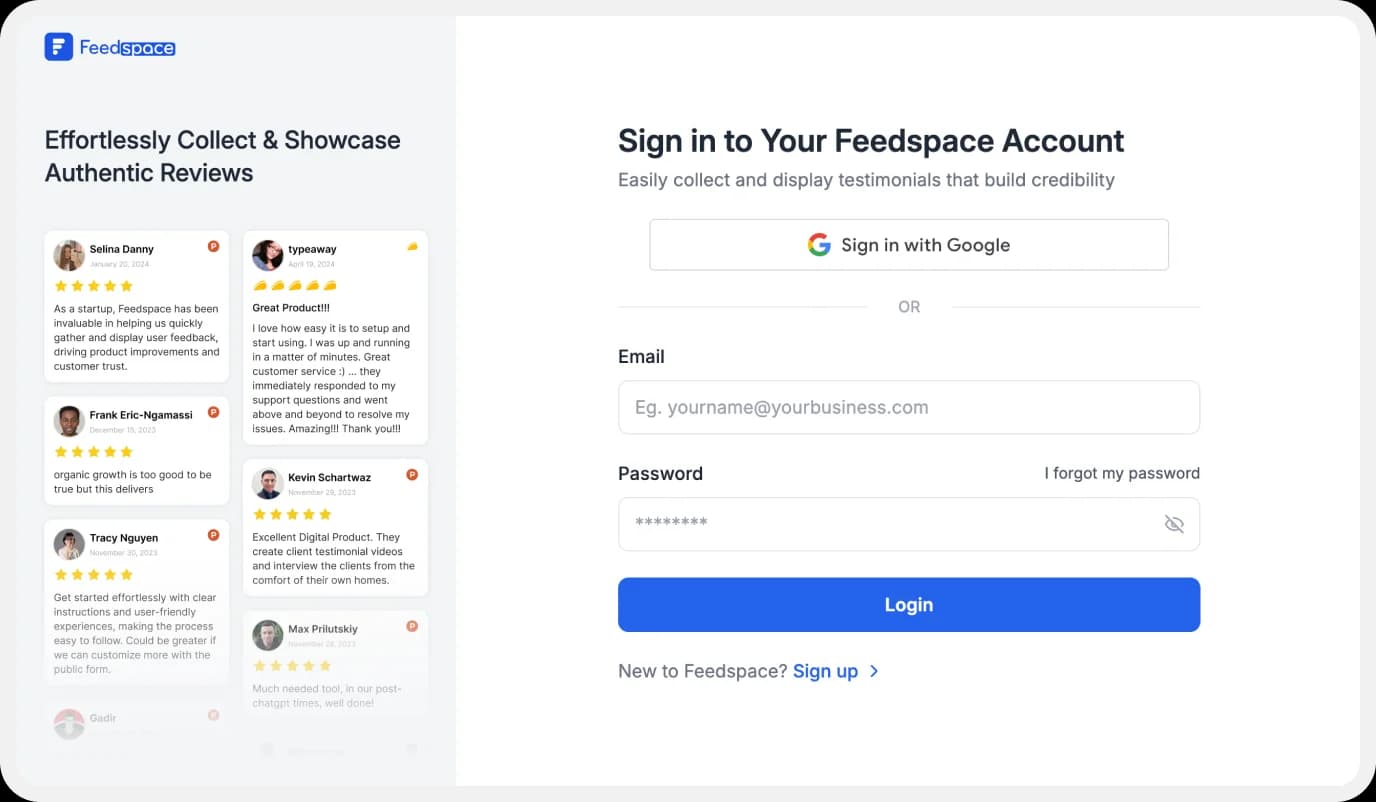
Use your Google credentials to create a new account with Feedspace
Step 2: Import Clutch Reviews.
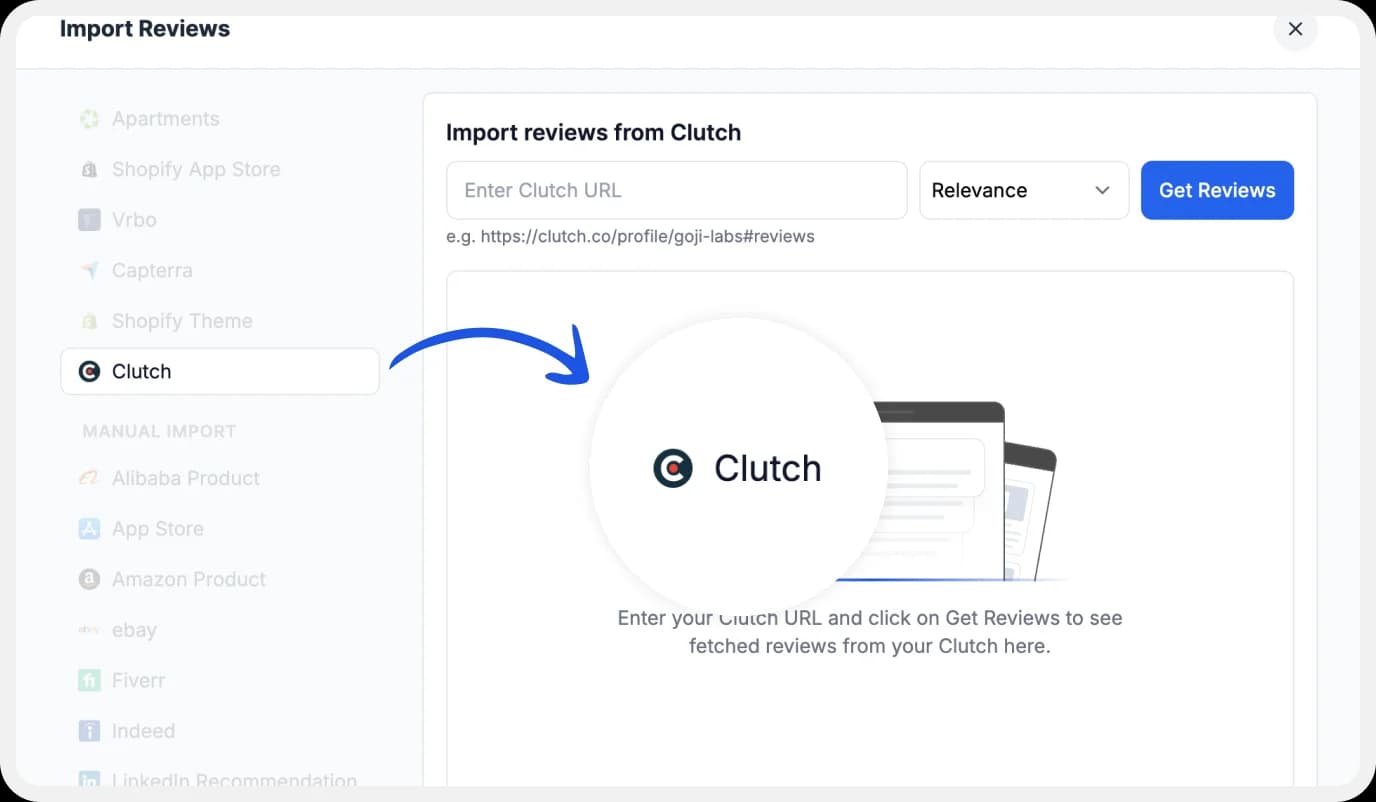
On the left side panel of your admin home page, locate ‘Import’ and click on it. From the list, select Clutch. In the search bar, type in your business name.
A list of all businesses that match will show up under the search bar. Select your business’s name and finally click on ‘Get reviews’.
Step 3: Preview
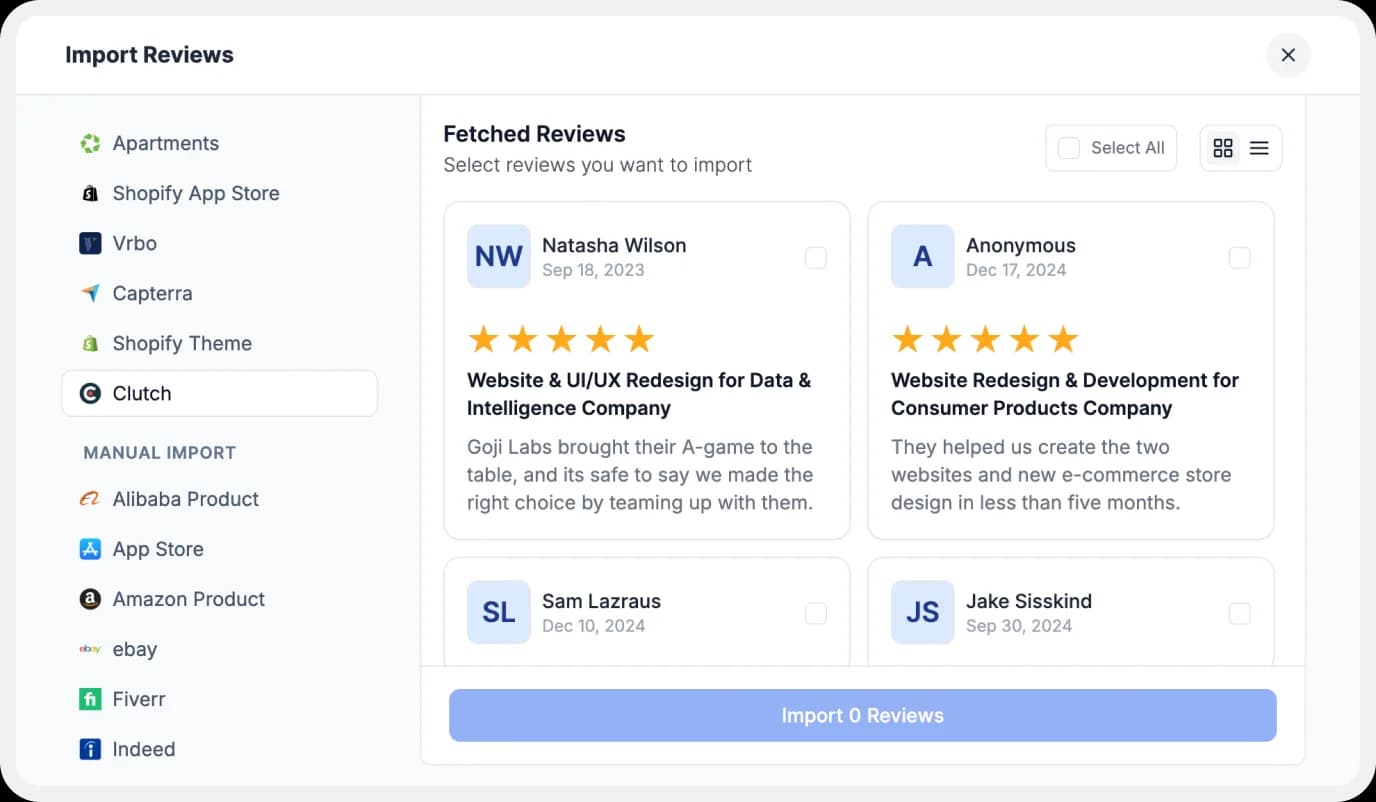
Feedspace will show you a preview of the reviews that can be imported from Clutch.
Step 4: Pick Your Favorites
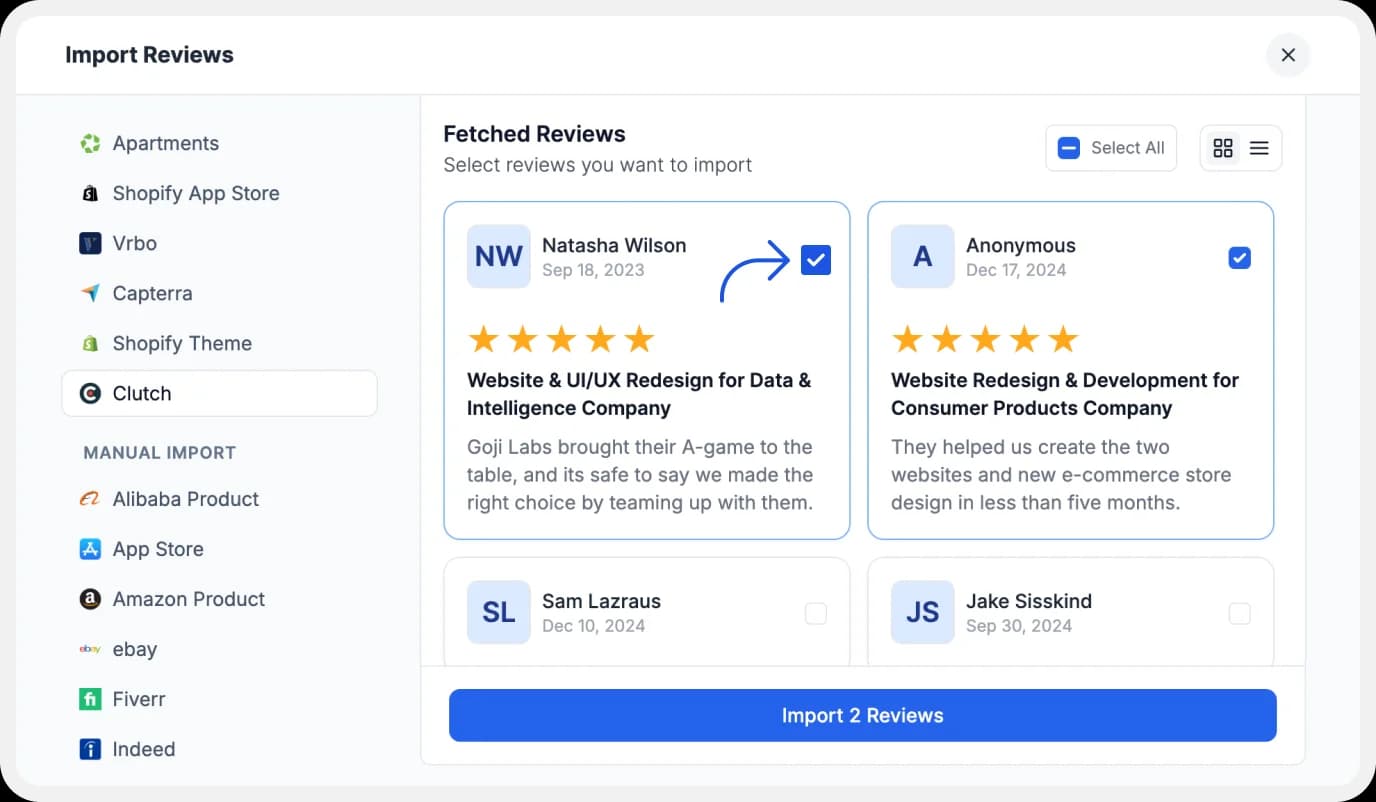
Select the reviews you want to import. You can directly click on the ‘Select All’ button on the right to import all reviews at once. You can share the imported reviews on your very own Wall of Love.
But what’s a Wall of Love? Let’s check out below.
Step 5: Start Building A Wall of Love
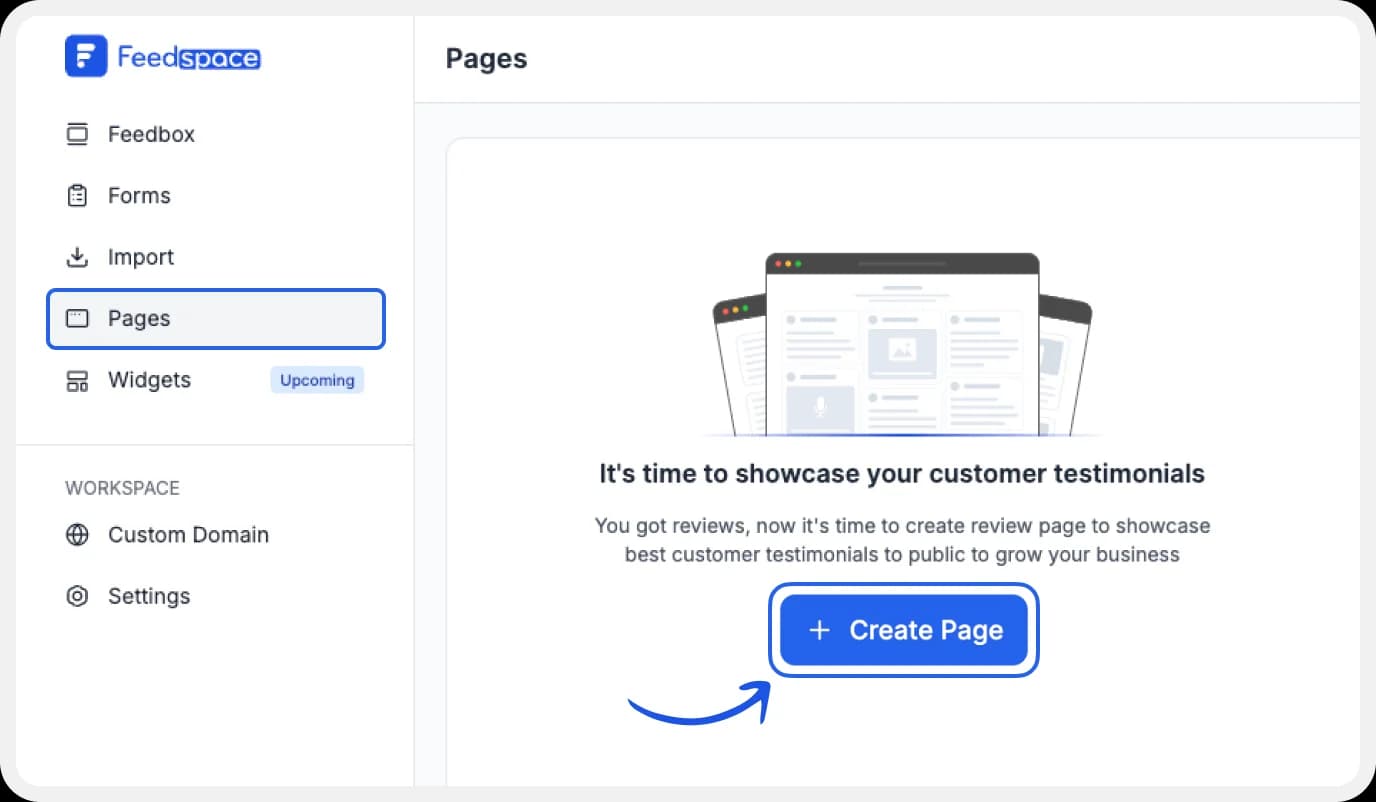
Go to the ‘pages’ tab on the left side panel. Here you can begin building a new ‘Wall of Love‘. Click on ‘+Create Page’ and name your page.
Step 6: Select Clutch Reviews

Pick the reviews you would like to highlight from all the ones you have imported.
Step 7: Beautify Your Wall of Love
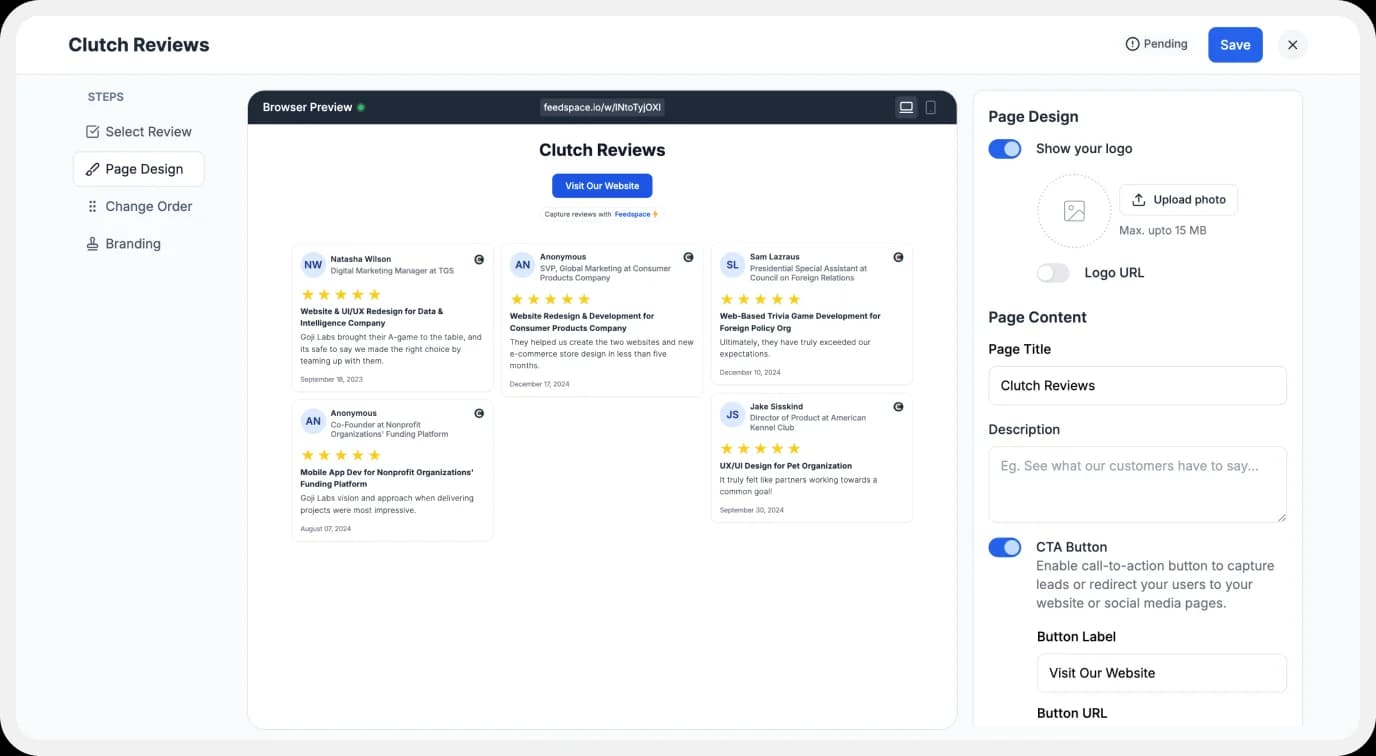
Display settings for customizing the Wall of Love
Make your Wall of Testimonials interesting with:
- Page Logo: Upload your brand logo.
- Page Title & Message: Write a catchy title and message for your Wall of Love.
- Button: To redirect to other webpages
Additionally, you can also customize the branding on the testimonial Wall of Love page. You can opt to use your personal domain and even remove the Feedspace branding.
Step 8: Save and Share!
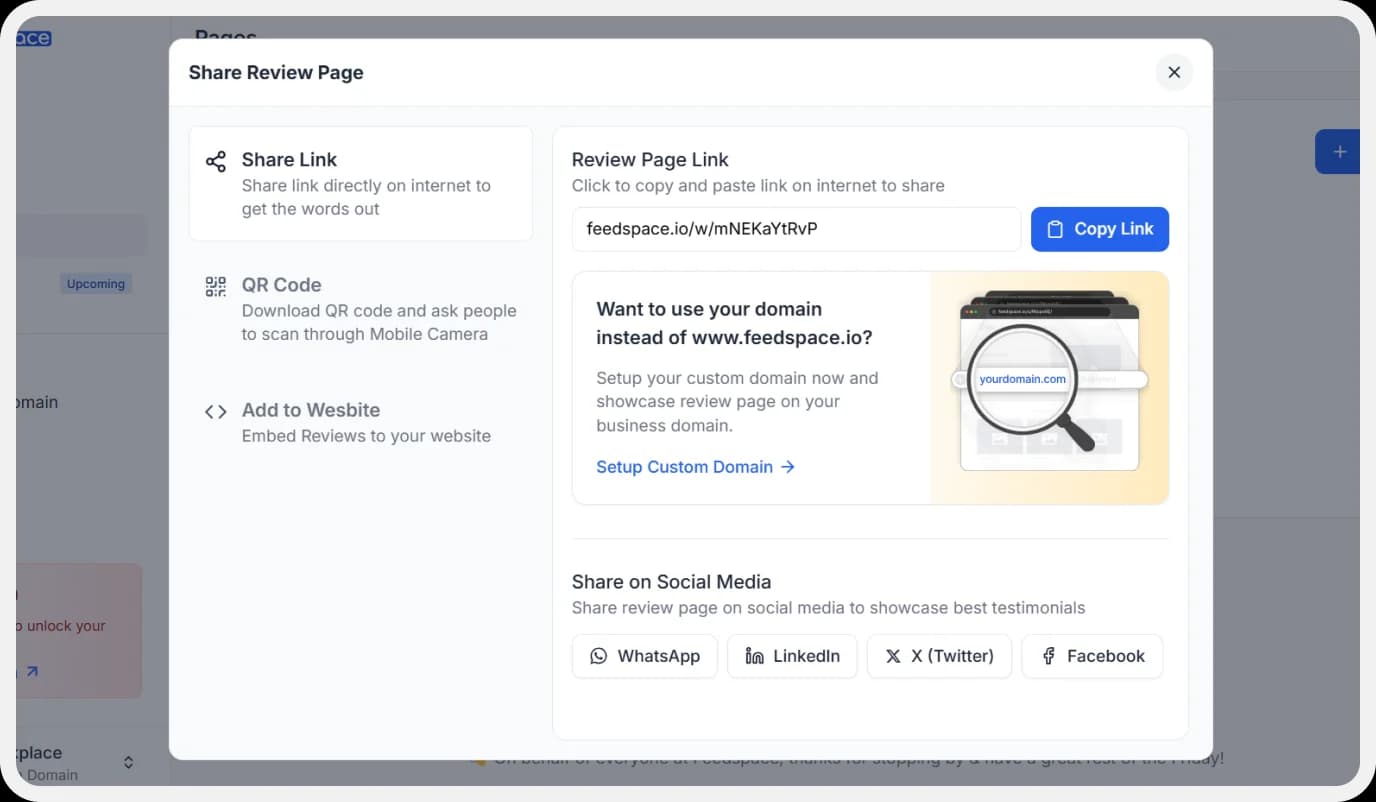
Finally, click the ‘Save’ button on the top right.
There you have it! You have now built your first Wall of Love. Don’t forget to share it with the world!
How to Embed Clutch Reviews on your website?
To add Clutch reviews to your website, you are going to need an embed code for the Wall of Love. Let us understand how and where to find this code.
Step 1: ‘Pages’
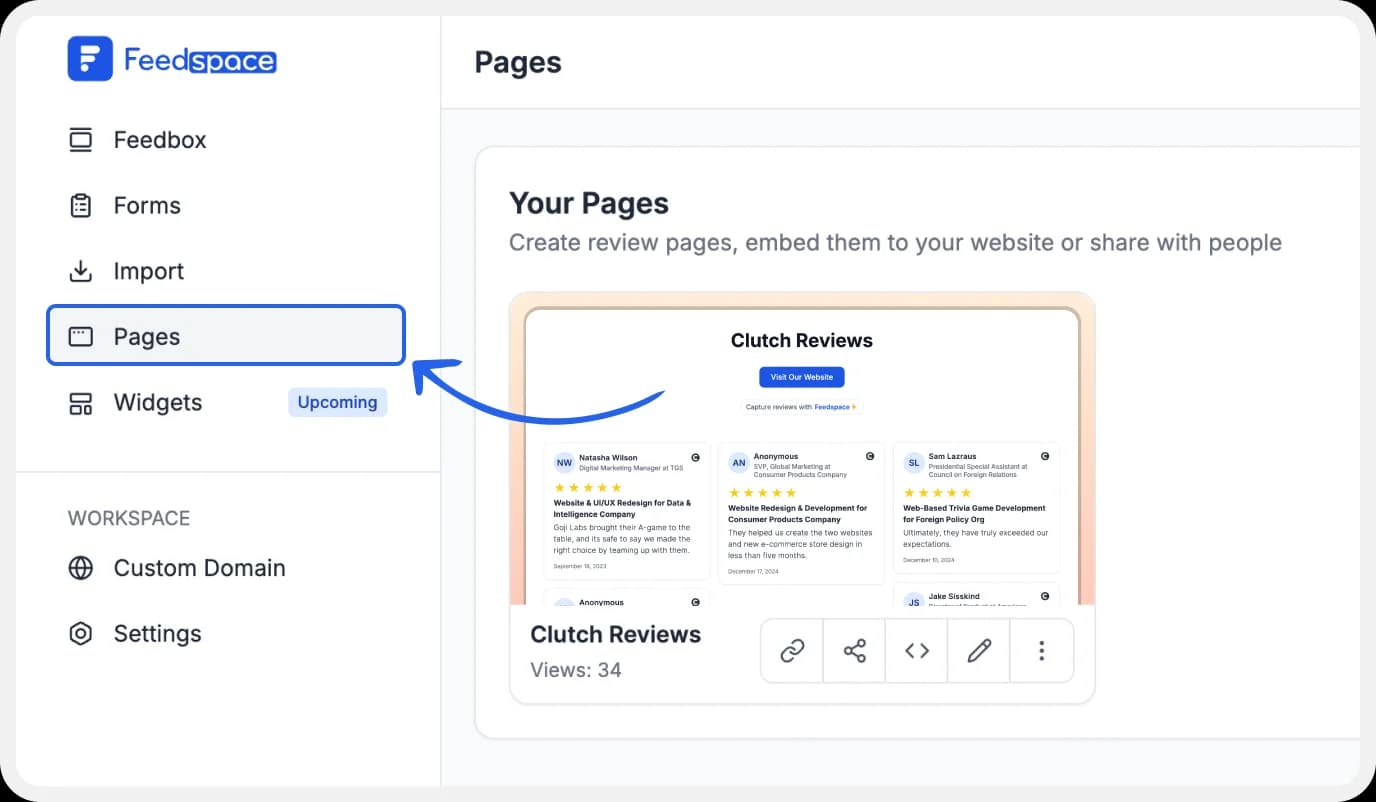
On your screen, locate the ‘Pages’ tab on the left side panel.
Step 2: Select Page
Find and select the Wall of Love you want to embed on your website. Click on the ‘<>’ button to generate an embed code for your wall of love.
Step 3: Generate Embed Code
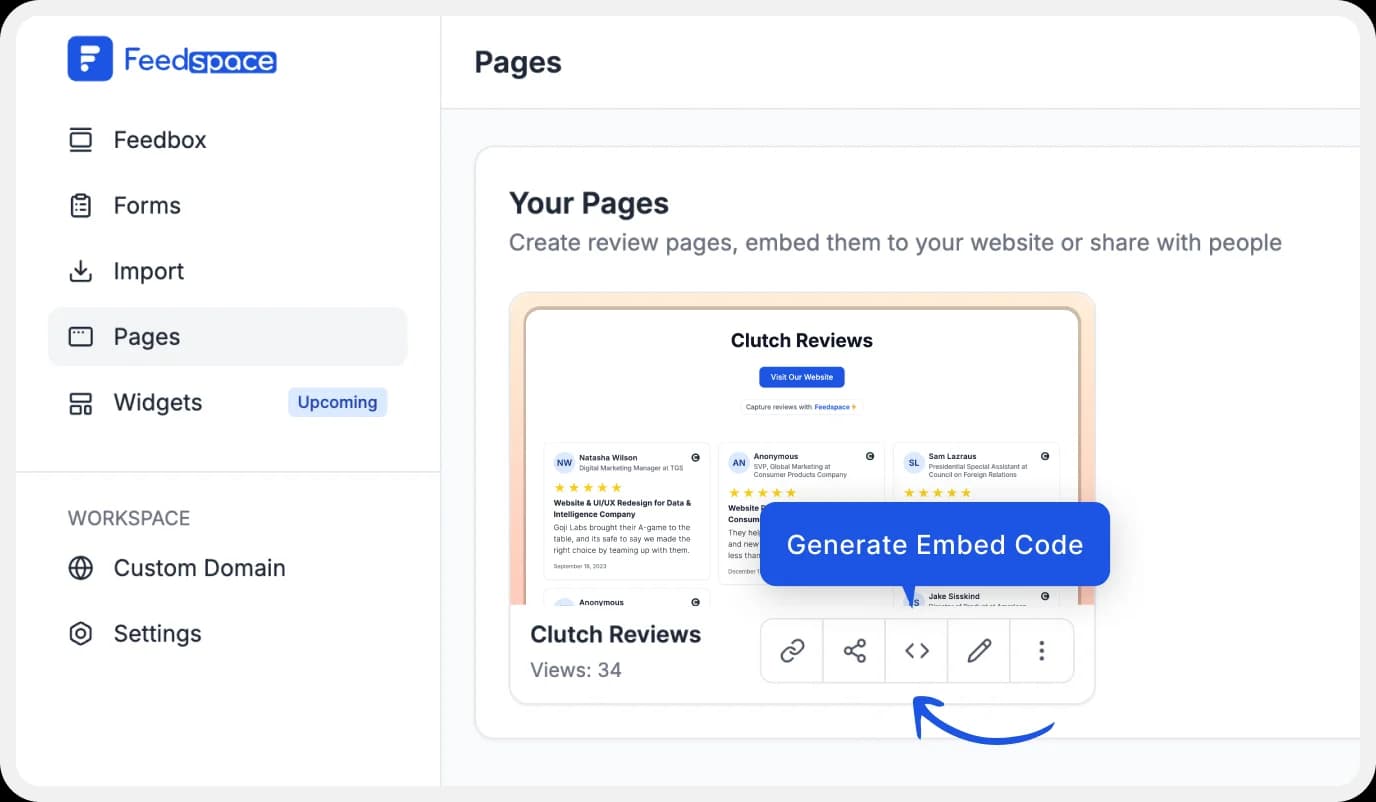
A window will open up. Here, you can select a light theme or a dark theme to match your Wall of Love with your website’s branding. Once selected, click on the ‘Generate Embed Code’ button.
Step 4: Copy the code
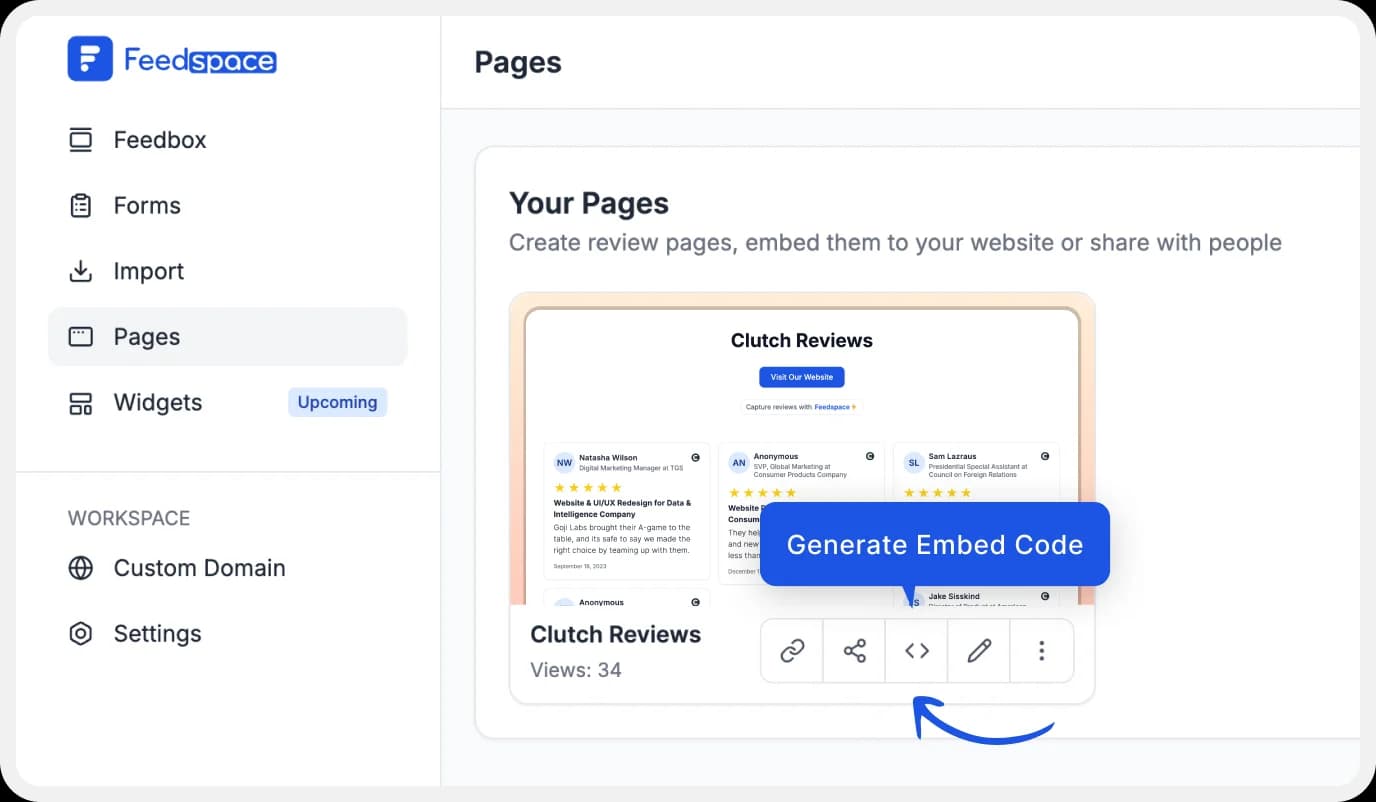
Copy the code provided and paste it into your website, where you want the Wall of Love to show!
Why Clutch Reviews on Your Website Win B2B Deals
Clutch reviews are verified through a client interview process, making them the most credible format available for B2B service providers. Displaying them on your website answers the trust question before a prospect even picks up the phone.
- Enterprise buyers check Clutch before shortlisting any agency or consultancy
- A single verified Clutch review can carry more influence than 20 unverified Google reviews in a B2B context
- Reviews that include project scope, budget range, and measurable outcomes are most effective and Clutch’s format requires all three
Feedspace lets you import those verified reviews and display them on your website, proposals, and sales decks, with no coding, free.
Where to Use Clutch Reviews on Your B2B Website
Clutch reviews work hardest when placed at decision points — not just on a testimonials page.
High-converting placements:
- Homepage hero: one featured Clutch review with star rating, client name, and company below your headline
- Services pages: embed 2–3 Clutch reviews relevant to that specific service
- Proposal pages: if you use a digital proposal tool, embed your Clutch Wall of Love directly into the proposal
- Case studies: link each case study to the corresponding Clutch review to add third-party verification
- Contact/enquiry page: a single high-quality Clutch review just above the contact form reduces abandonment
Benefits of Adding Clutch Reviews to Your Website
Adding Clutch reviews to your website can give you a lot of benefits. Here are the main ones:
Boost Trust and Authenticity
Nearly 90% of customers trust a review so much that it has a major impact on their purchasing decision. Positive reviews can motivate customers to move from the consideration stage to the conversion stage in the marketing funnel. Reviews work as social proof, which validates their choice of going ahead with your brand. This can be a great way to boost revenue generation.
Establishing You as an Industry Leader
In a business space, knowledge, trust, and authenticity are direct sources of power. When a potential client reads a positive review left behind by someone you’ve worked with in the past, they come to realize that you’re dedicated to what you do. It enables you to create a sense of trust within the industry, too, since reviews act as direct proof of authenticity and quality.
Showcase Use Cases
Businesses today have a broad horizon, multiple opportunities, and can be confusing to navigate. Your potential client might not even know why they need to work with your brand to achieve the results they desire. Displaying reviews can be the key to unlocking the potential of your product. Clients can read about others’ experiences and know exactly what your product can do for them. This leads to expansion into newer domains and can benefit you all around.
Conclusion
Displaying reviews from Clutch on your website can propel your brand identity in a positive direction. It leads to increased trust among clients, establishing you as a credible, authentic, and trustworthy company. Using a tool like Feedspace can simplify the process of review collection and review management, and allow you to showcase reviews like a pro with their dedicated Wall of Love page. Give Feedspace a shot today–it’s free!
FAQs
1. How do I get more Clutch reviews?
Contact your Clutch account manager (every listed company gets one) and ask them to send review invitations to past clients. Alternatively, ask clients directly. Clutch handles the interview and verification process. Reviews that include project details and measurable outcomes rank higher on the platform.
2. Can I embed Clutch reviews on my website for free?
Yes. Import your Clutch reviews into Feedspace for free, build a Wall of Love, and embed it using the generated code no developer needed. Works on WordPress, Webflow, Squarespace, and any custom site.
3. Do Clutch reviews help SEO?
Embedding Clutch reviews on your site adds fresh, user-generated content that search engines index. For local SEO, however, Google reviews carry more weight. For B2B credibility and conversion, Clutch reviews are more valuable.
4. Can I show Clutch and Google reviews together?
Yes, import both into Feedspace and display them in one Wall of Love widget. This is the most effective setup for B2B websites: Google reviews for broad trust, Clutch reviews for verified B2B credibility.