Customer Testimonials can have a profound impact on how potential customers view your brand. Your reputation as a company, business and a professional are extremely important in bringing in potential clients who engage with your brand and leave a positive impression. Building this reputation might take a large amount of time, effort and dedication.
Using customer testimonials, you can leverage the power of social proof to create credibility and establish your company among your target audience. A positive testimonial has the potential to change how others perceive your company and your products/services.
However, collecting, managing and importing testimonials manually is no easy task.
This is where a testimonial collection tool like Feedspace comes in handy.
Use Feedspace to Add Apartments.com Reviews on your Website
Feedspace is a testimonial collection software. It simplifies the management of testimonials by tenfold. Requesting, collecting, showcasing and importing testimonials can become a walk in the park with Feedspace.
You can easily import reviews from top platforms like Apartments.com and embed them on your website using Feedspace’s Wall of Love feature. The Testimonial Wall of Love is a dedicated page on your business website where you showcase your top reviews.
What’s more?
Feedspace can help you generate review request forms in seconds. These forms can help you collect reviews in text, video or audio format.
To summarize, here’s what Feedspace can do for you:
- Import old and new reviews from Apartments.com.
- Generate Review request forms to collect reviews from your customers in seconds.
- Create a Wall of Love to display all these reviews.
Feedspace’s simplistic UI/UX has ensured that importing reviews from top platforms is easy and effortless. Let’s take a look at how you can do it.
How to Import Apartments.com Reviews?
Getting started with importing your reviews from Apartments.com is easy. Simply follow these steps to import Apartments.com reviews and showcase them directly on your website.
Step 1: Create a Feedspace Account
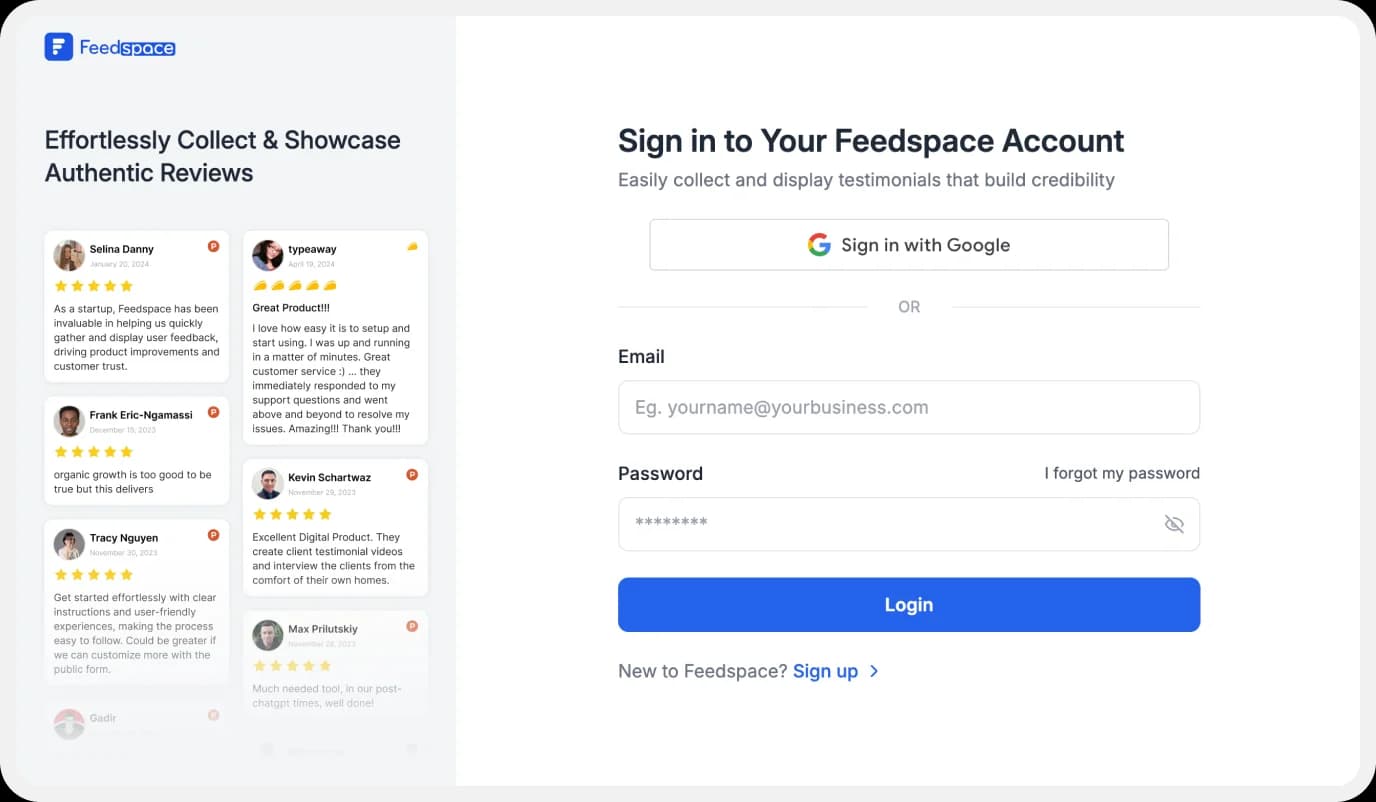
Use your Google credentials to create a new account with Feedspace or log into an existing one.
Step 2: Import Apartments.com Reviews.
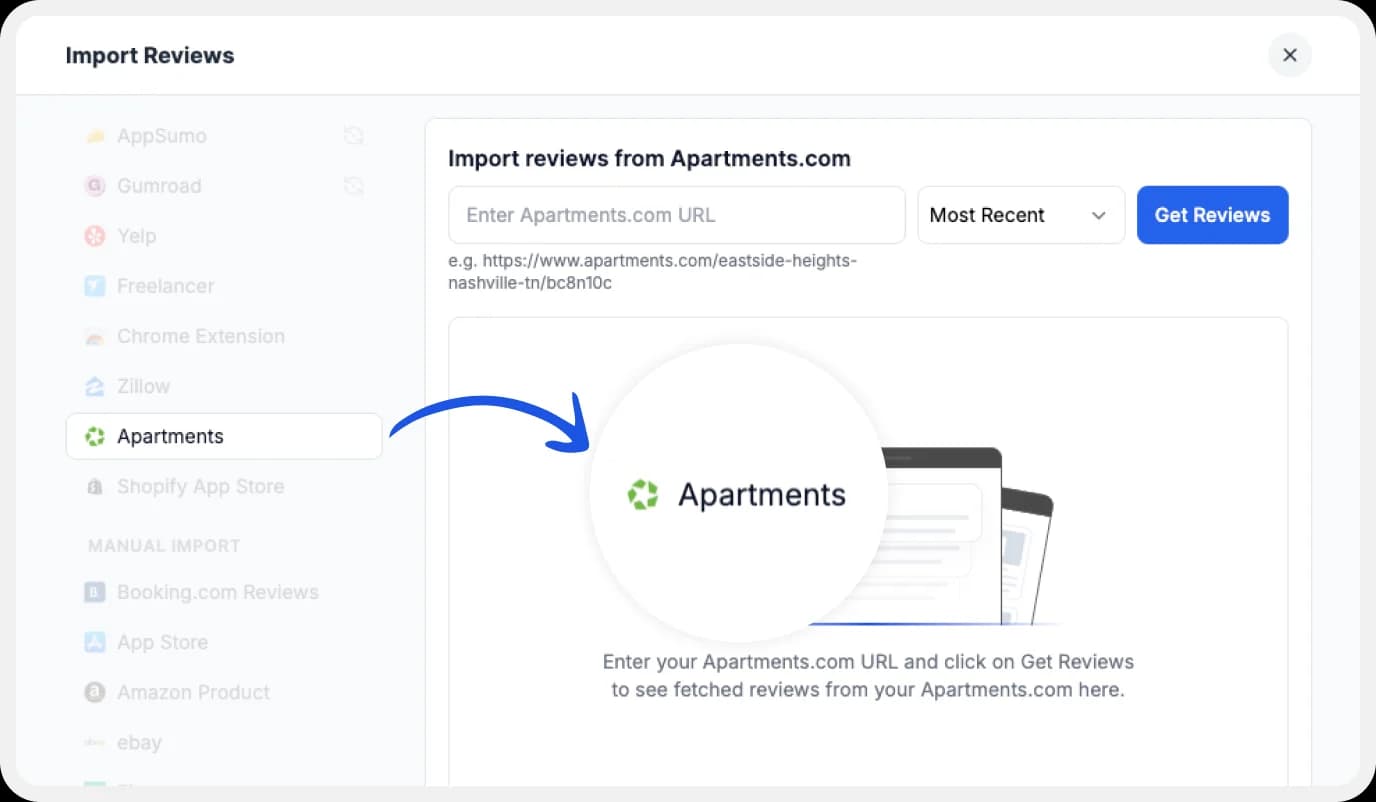
On the left side panel of your admin home page, locate ‘Import’ and click on it. From the list, select Apartments.com. In the search bar, type in your business name.
A list with all businesses that match will show up under the search bar. Select your business’ name and finally click on ‘Get reviews’.
Step 3: Preview
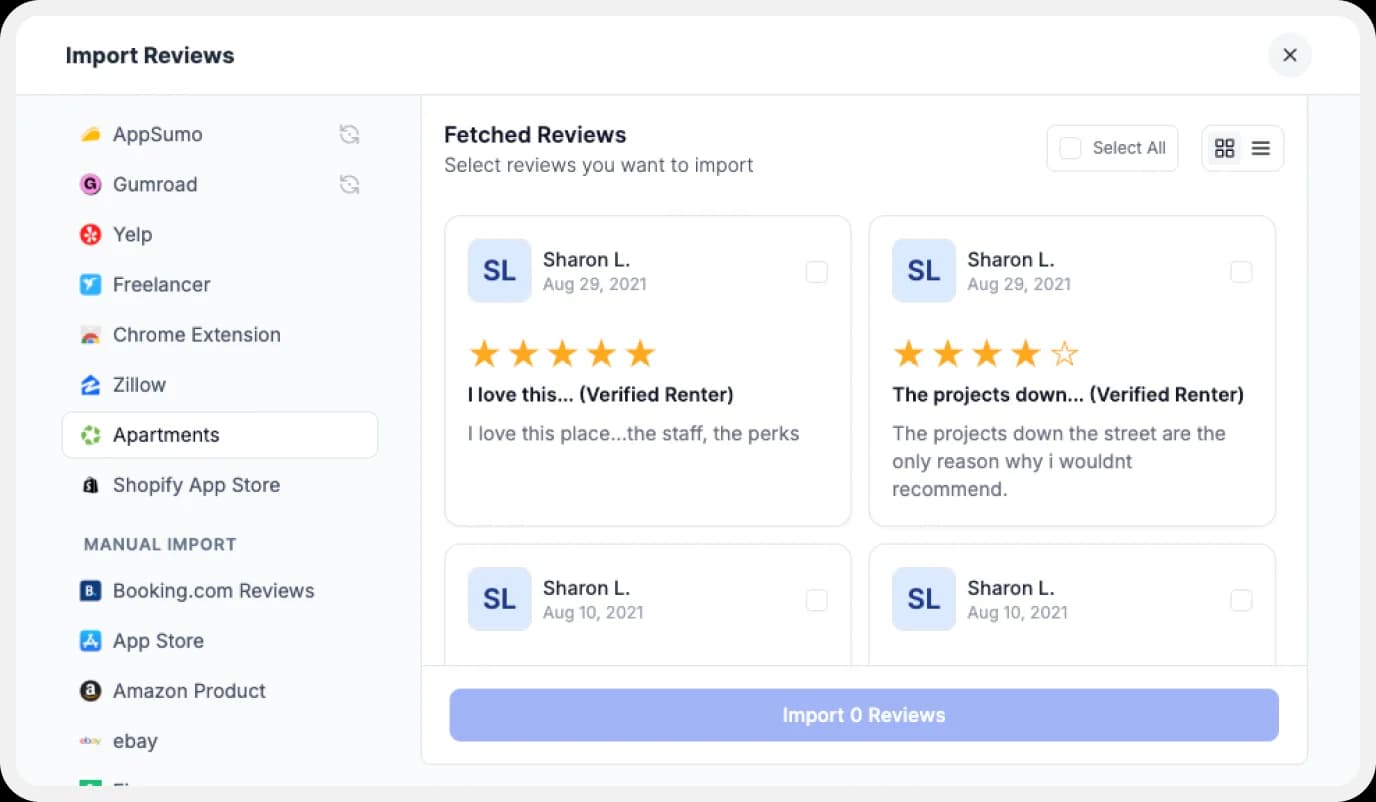
Feedspace will show you a preview of the reviews that can be imported from Apartments.com.
Step 4: Pick Your Favorites
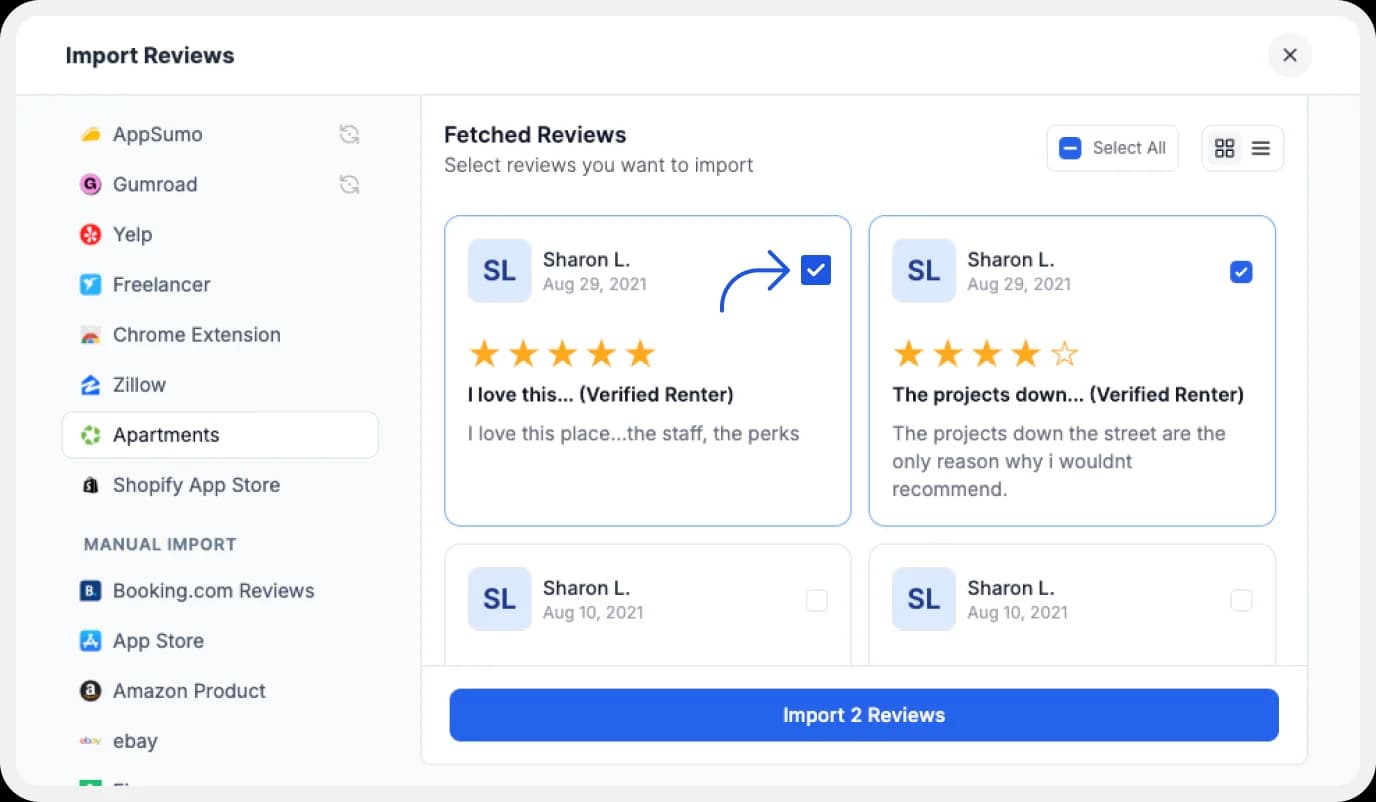
Select the reviews you want to import. You can directly click on ‘Select All’ button on the right to import all reviews at once. You can share the imported reviews on your very own Wall of Love.
But what’s a Wall of Love? Let’s check out below.
Step 5: Start Building A Wall of Love
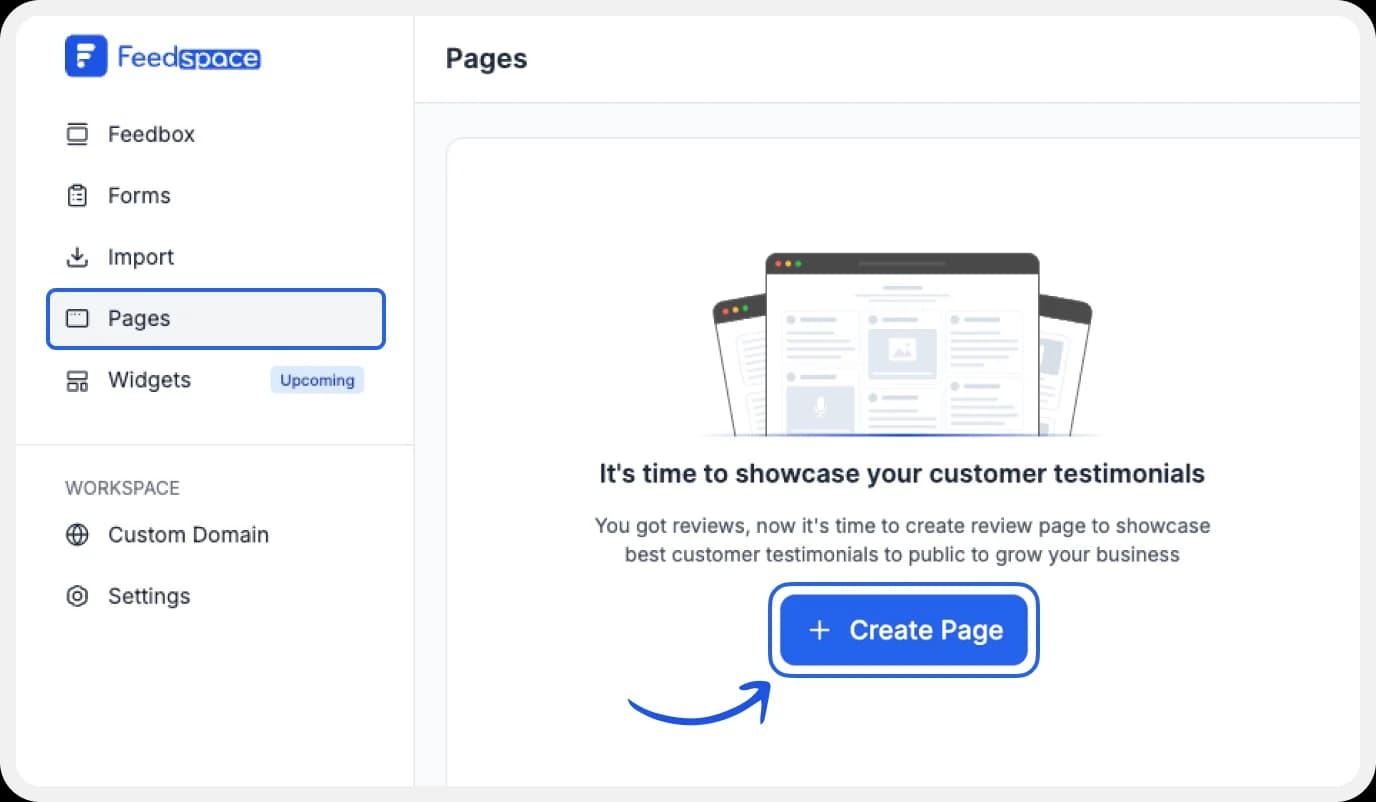
Go to the ‘pages’ tab on the left side panel. Here you can begin building a new ‘Wall of Love‘. Click on ‘+Create Page’ and name your page.
Step 6: Select Apartments.com Reviews
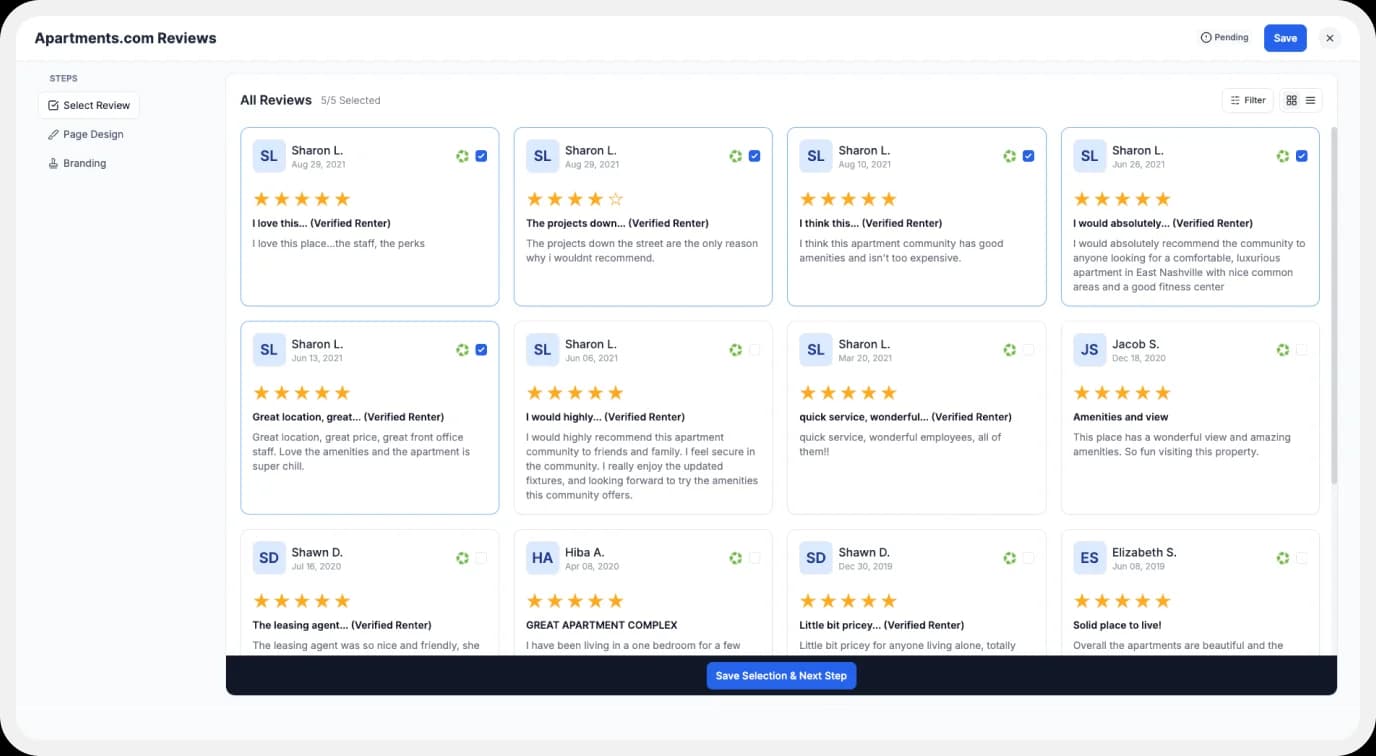
Pick the reviews you would like to highlight from all the ones you have imported.
Step 7: Beautify Your Wall of Love
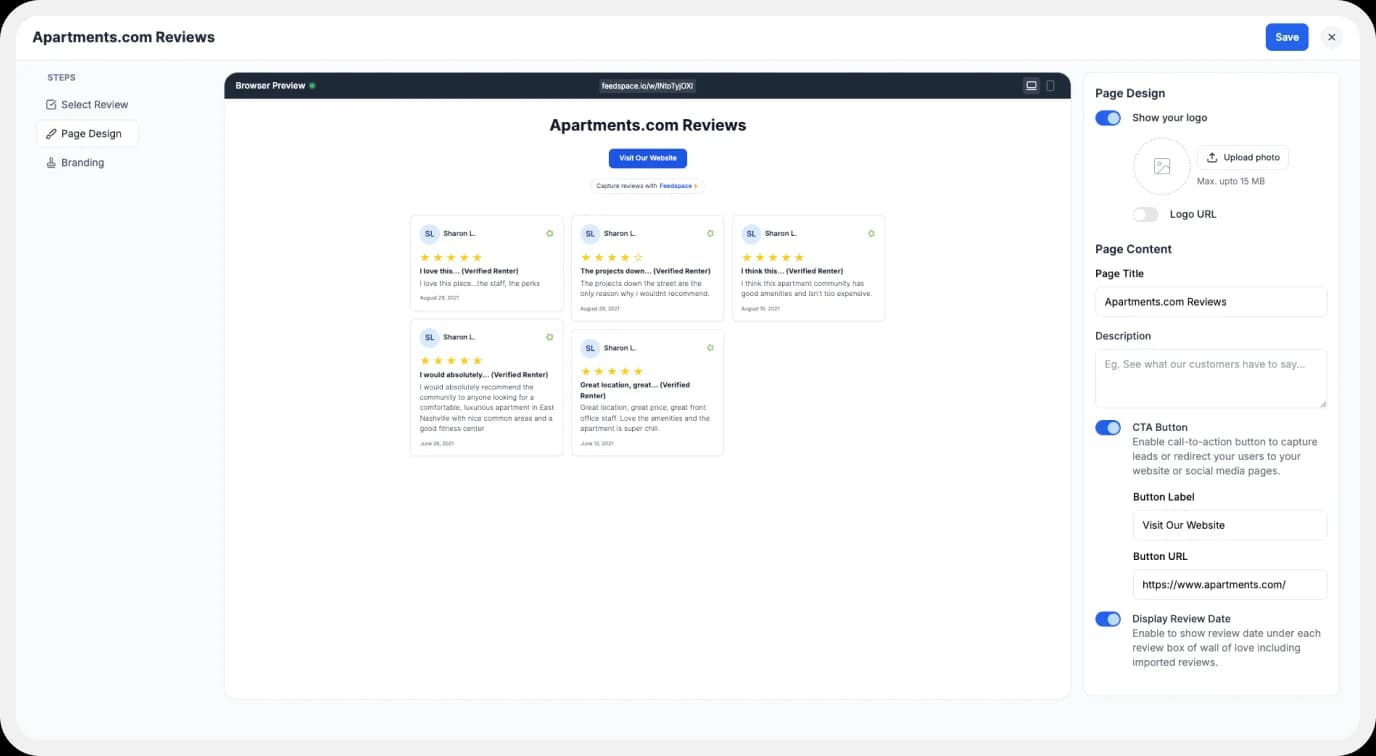
Display settings for customizing Wall of Love
Make your Wall of Testimonial interesting with:
- Page Logo: Upload your brand logo.
- Page Title & Message: Write a catchy title and message for your Wall of Love.
- Button: To redirect to other webpages
Additionally, you can also customize the branding Additionally, you can also customize the branding on the Wall of Love page. You can opt to use your personal domain and even remove the Feedspace branding.
Step 8: Save and Share!
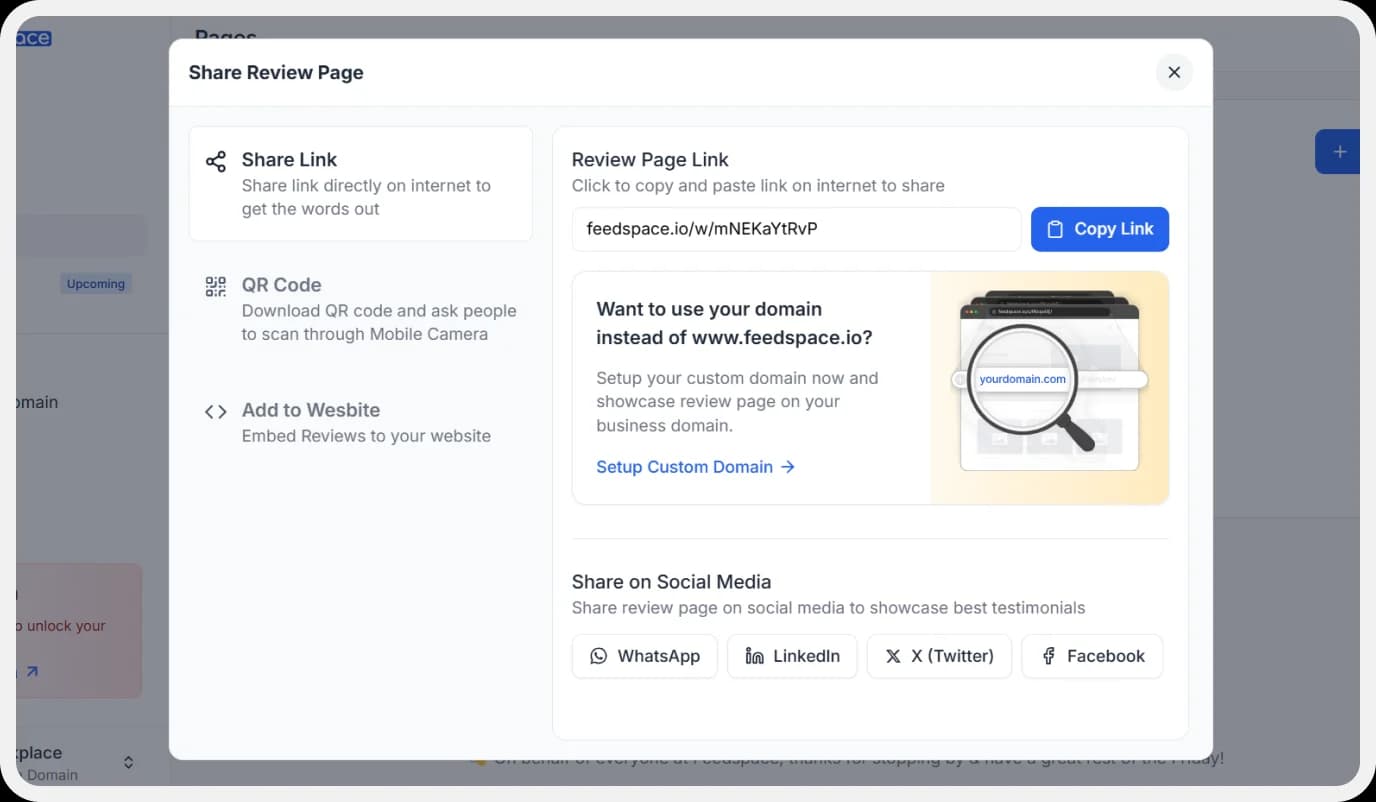
Finally, click ‘Save’ button on the top right.
There you have it! You have now built your first Wall of Love. Don’t forget to share it with the world!
Feedspace is free forever.🔥
Try Now!
How to Embed Google Reviews on Your Website?
You are going to need an embed code for the Wall of Love. Let us understand how and where to find this code.
Step 1: ‘Pages’
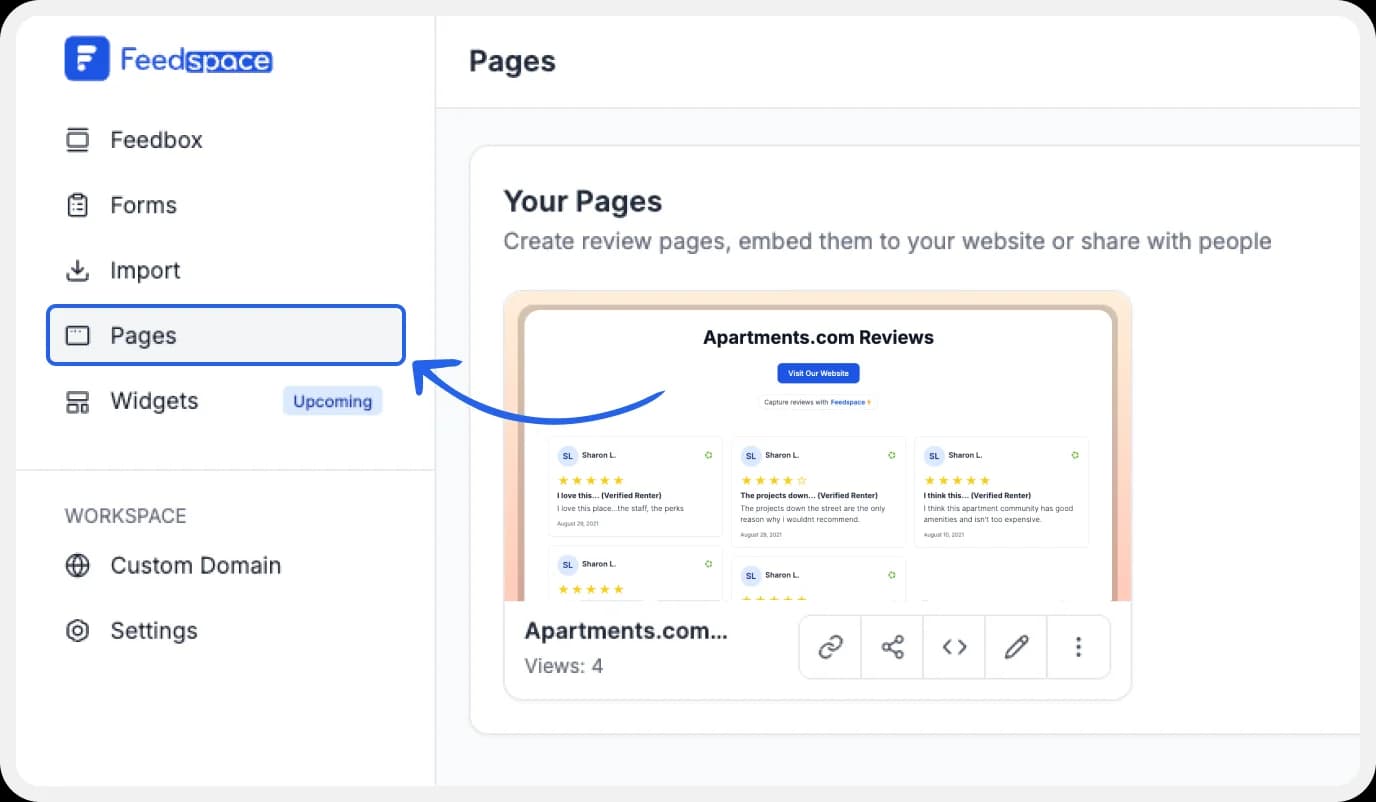
On your screen, locate the ‘Pages’ tab on the left side panel.
Step 2: Select Page
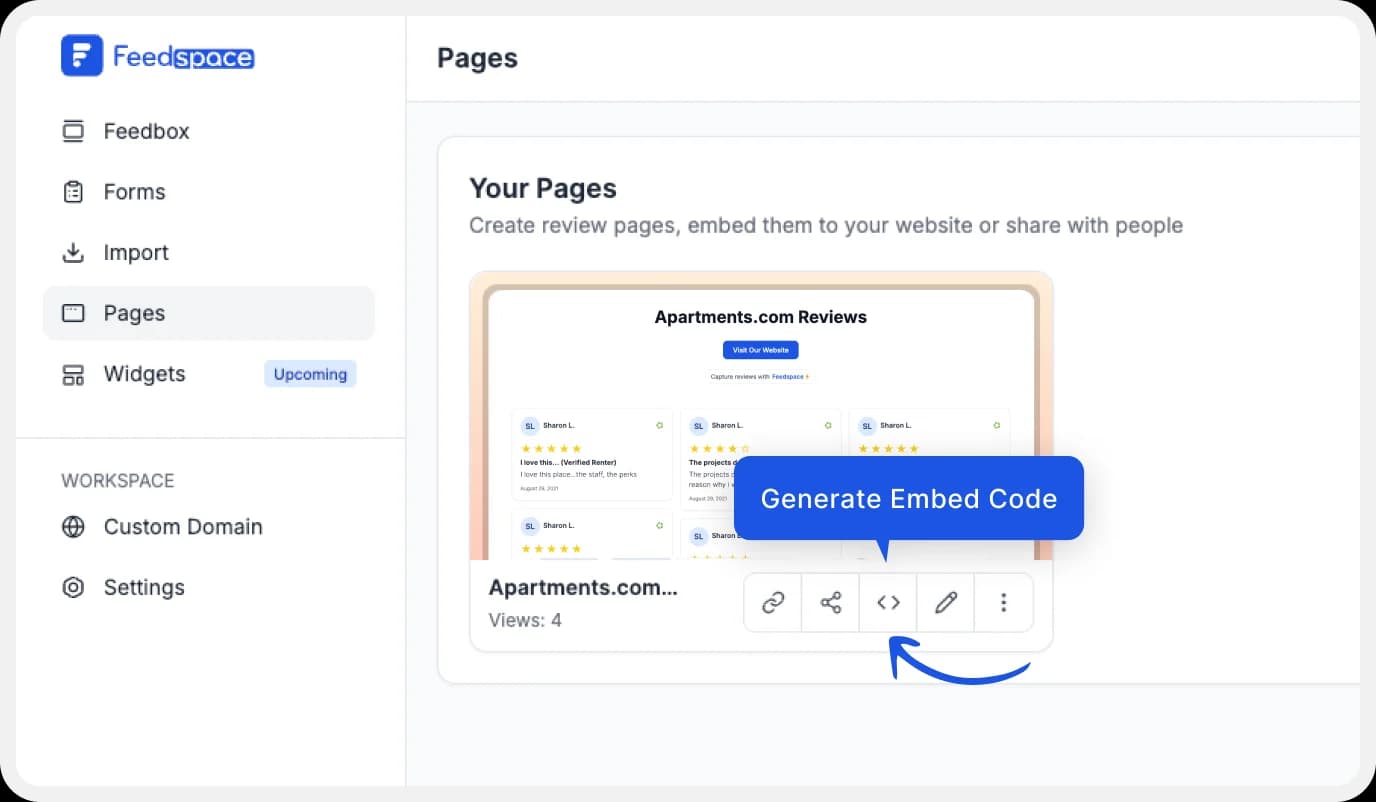
Find and select the Wall of Love you want to embed on your website. Click on the ‘<>’ button to generate an embed code for your wall of love.
Step 3: Generate Embed Code
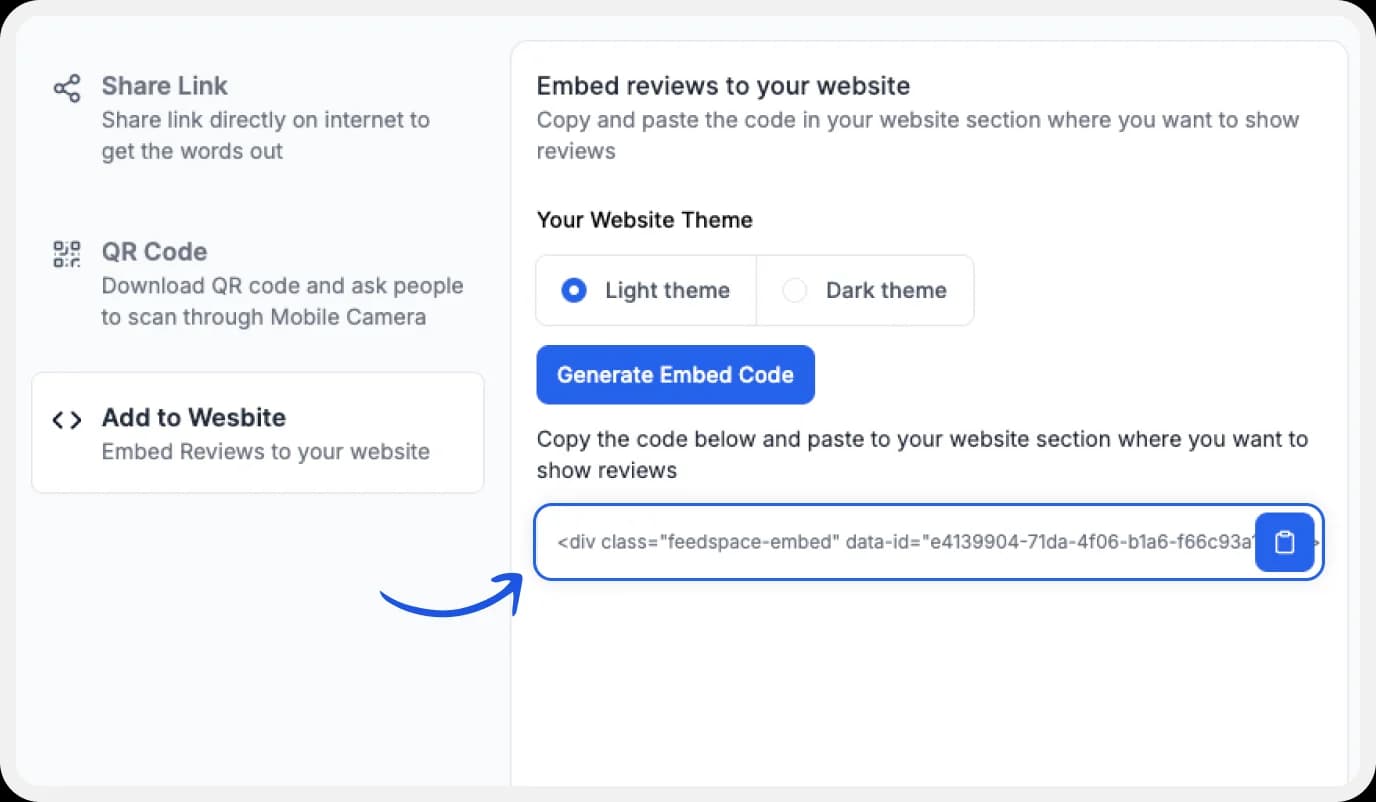
A window will open up. Here, you can select a light theme or a dark theme to match your Wall of Love with your website’s branding. Once Selected, click on the ‘Generate Embed Code’ button.
Step 4: Copy and Paste the Code
Copy the code provided.
Note: Feedspace’s Wall of Love is fully customizable, you can change the description, branding colours, light/dark themes and more.
Benefits of adding Apartments.com reviews to my website
Adding reviews to your website can prove beneficial for your business in the long run. It builds credibility, boosts your standing in the industry and works as proof of social approval from your customers. Here are some other benefits that you can avail:
Social Proof
The concept that people are more likely to engage in acts that they’ve seen others (that they relate to) engage in, is called social proof. This phenomenon has been at the core of marketing for a long time now. Using reviews on your website can encourage new customers to feel validated.
Quality Proof
When your potential customers view the positive reviews left behind by your past customers, indirectly they receive the proof of the quality of your product or service. Testimonials act as an attestation to the product quality proof. Additionally, you could also easily use testimonials as marketing for different use cases for your product or service.
Conclusion
As a freelancer, reviews from a reputable website can make or break your contracts with potential clients. Using testimonial collection software like Feedspace can make managing and displaying these reviews a lot easier. With Feedspace’s incredible features, you can choose to import, record, or display reviews on your fully customizable, dedicated Wall of Love for maximum impact.