Testimonials and reviews are a great way to showcase the strength of your products. They act as proof of quality for your potential customers. Testimonials can pave the way for increased conversions and a successful marketing campaign. Visitors that come to your webpage get the chance to see the real impact that your products have made on people who have worked with you in the past.
Having a website hosted by a platform like BigCommerce is a boon in disguise. BigCommerce is a platform that helps SaaS businesses build, manage, and grow their business. Brands like Sony and Bon Bon Bon host their businesses on BigCommerce. It provides owners with tools to grow their business to greater heights.
To grow your business to greater heights, you can leverage the power of reviews. Let’s take a look at how you can do this using Feedspace.
Use Feedspace to Add Google Reviews on Your BigCommerce Website
Feedspace is a powerful tool that enables you to collect, display, and manage testimonials. It simplifies the process of collecting reviews by enabling you to generate a review request form in just a few seconds. This form can be shared using a single link or a QR code for your customers’ convenience.
Additionally, you can easily display all the reviews you collected on your very own Wall of Love is a dedicated page to display reviews. It is fully customizable and can be embedded on your BigCommerce website or within an email.
Let’s explore how you can embed reviews on your BigCommerce website.
How to Import Google Reviews in Feedspace?
Follow the steps below to import reviews from Google in Feedspace.
Step 1: Create a Feedspace Account
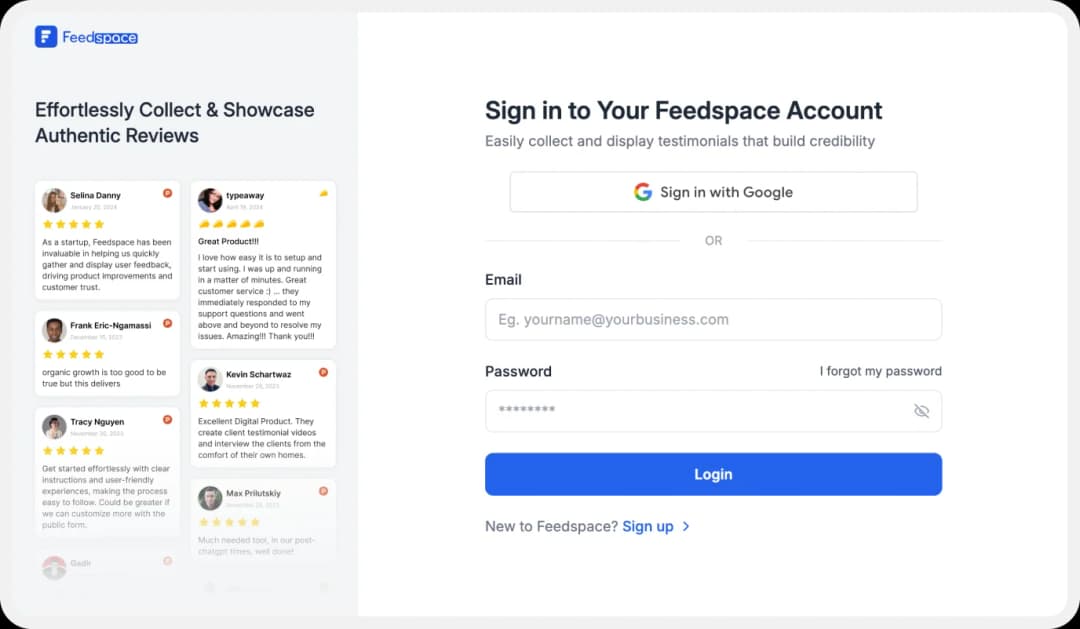
Use your Google credentials to create a new account with Feedspace or log into an existing one.
Step 2: Import Google Reviews
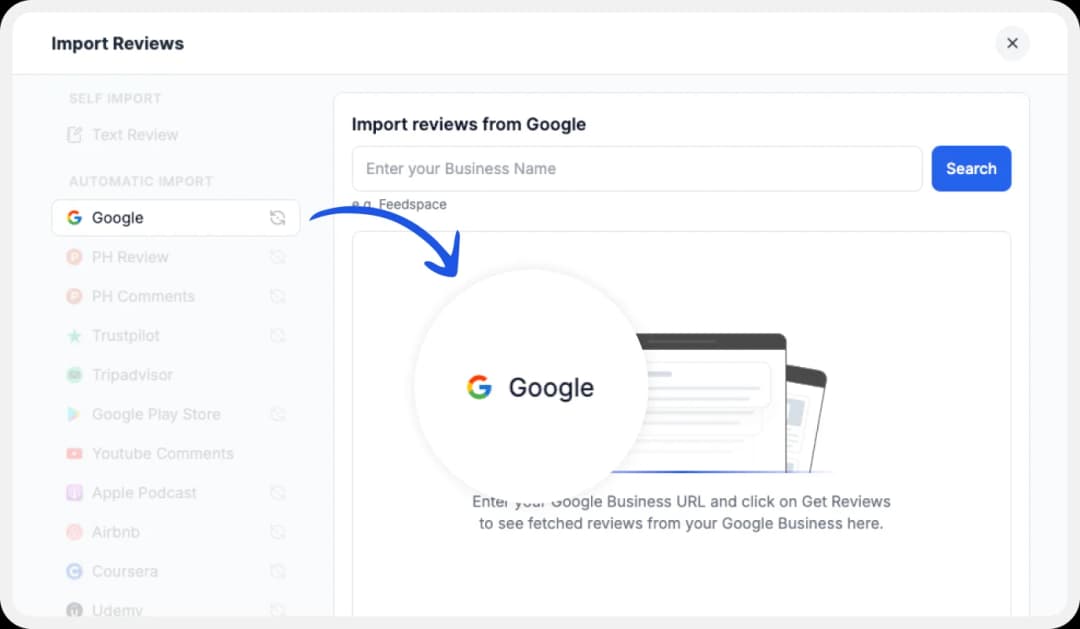
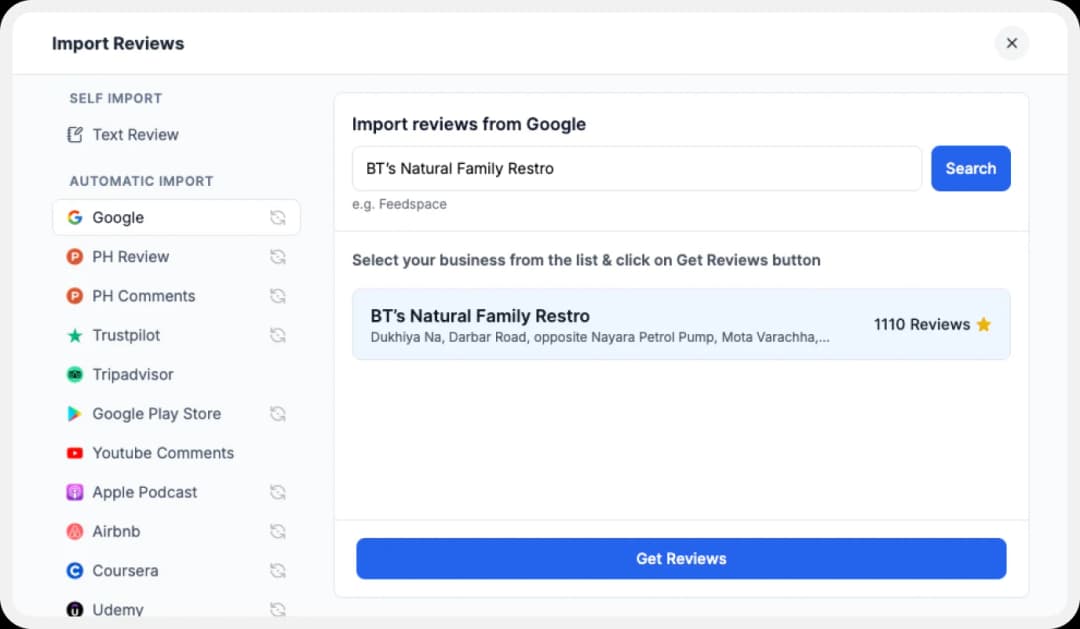
On the left side panel of your admin home page, locate ‘Import’ and click on it. From the list, select Google. In the search bar, type in your business name.
A list with all businesses that match will show up under the search bar. Select your business’ name and finally click on ‘Get reviews.’
Step 3: Preview
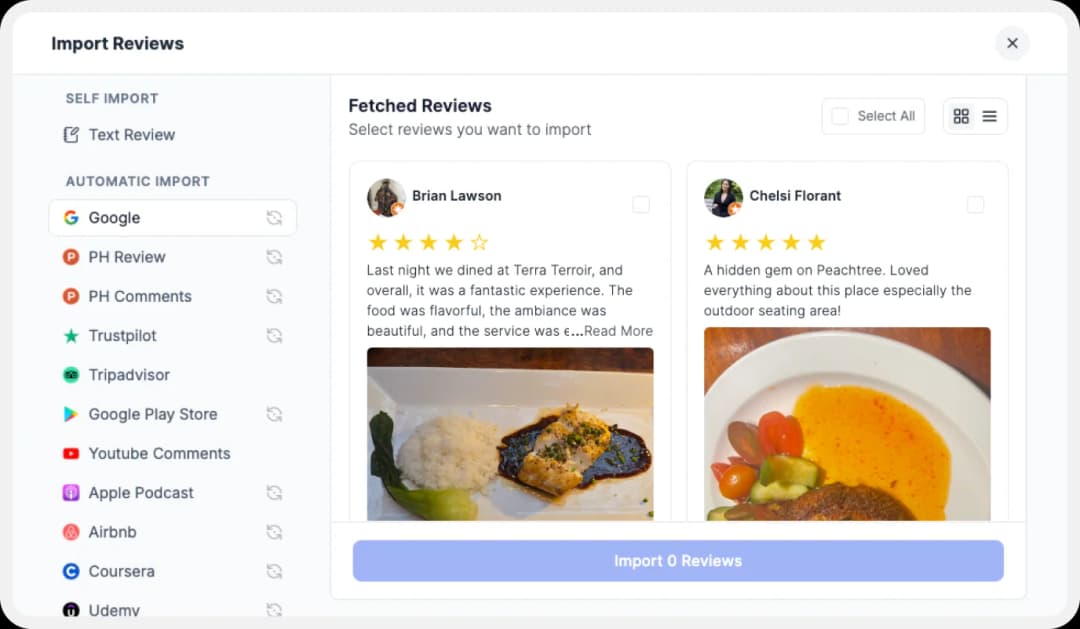
Feedspace will show you a preview of the reviews that can be imported from Google.
Step 4: Pick Your Favorites
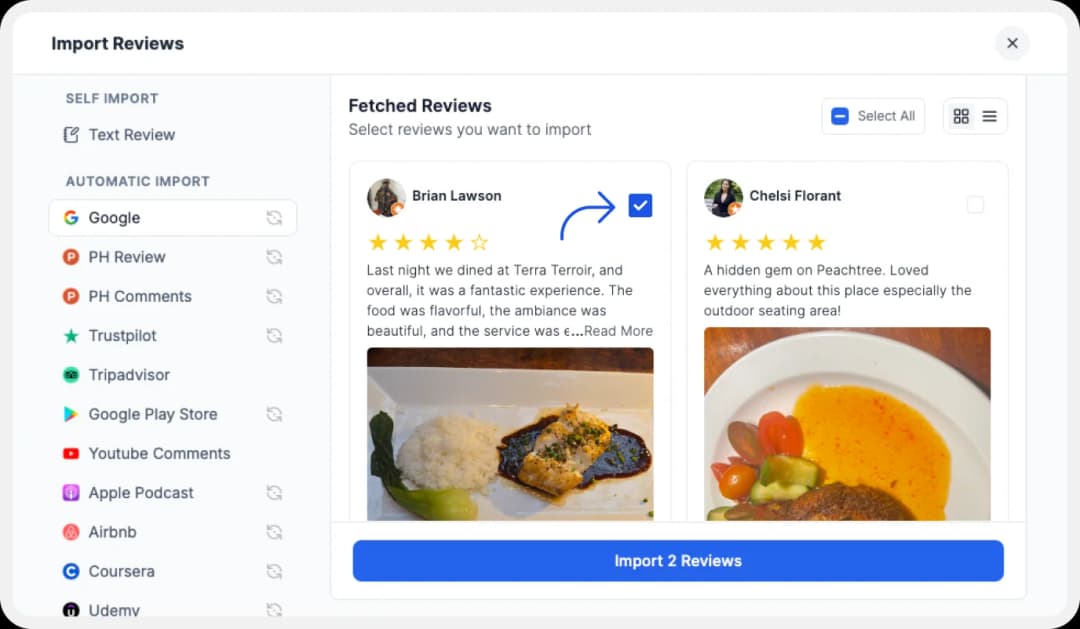
Select the reviews you want to import. You can directly click on the ‘Select All’ button on the right to import all reviews at once. You can share the imported reviews on your very own Wall of Love.
But what’s a Wall of Love? Let’s check out below.
Step 5: Start Building A Wall of Love
Go to the ‘pages’ tab on the left side panel. Here you can begin building a new ‘Wall of Love.’ Click on ‘+Create Page’ and name your page.

Step 6: Select Google Reviews
Pick the reviews you would like to highlight from all the ones you have imported.

Step 7: Beautify Your Wall of Love
Display settings for customizing Wall of Love
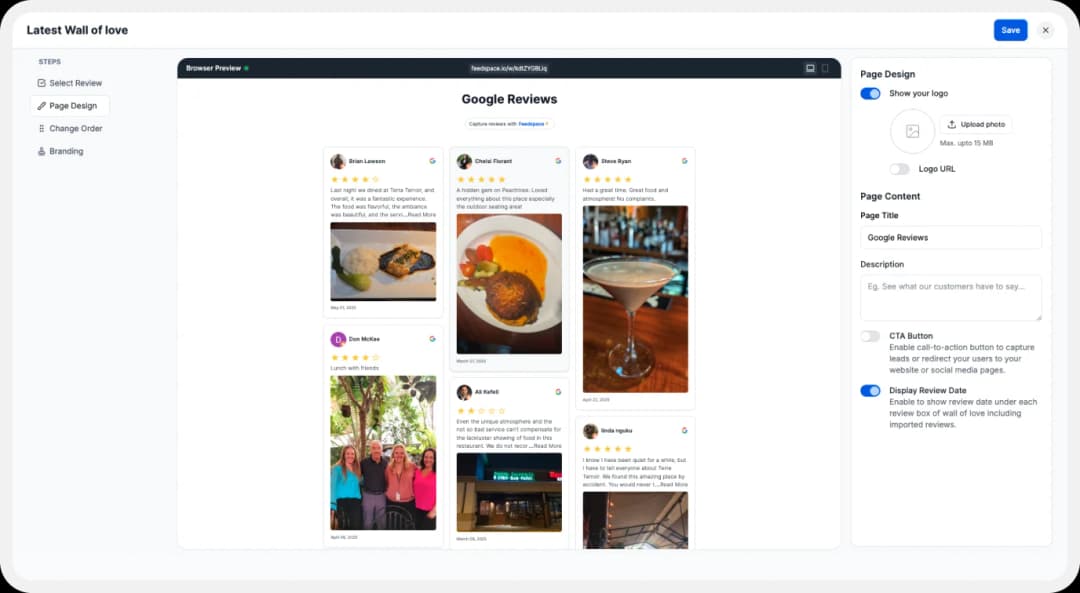
Make your Wall of Testimonial interesting with:
- Page Logo: Upload your brand logo.
- Page Title & Message: Write a catchy title and message for your Wall of Love.
- Button: To redirect to other webpages
Additionally, you can also customize the branding on the Testimonial Wall of Love page. You can opt to use your personal domain and even remove the Feedspace branding.
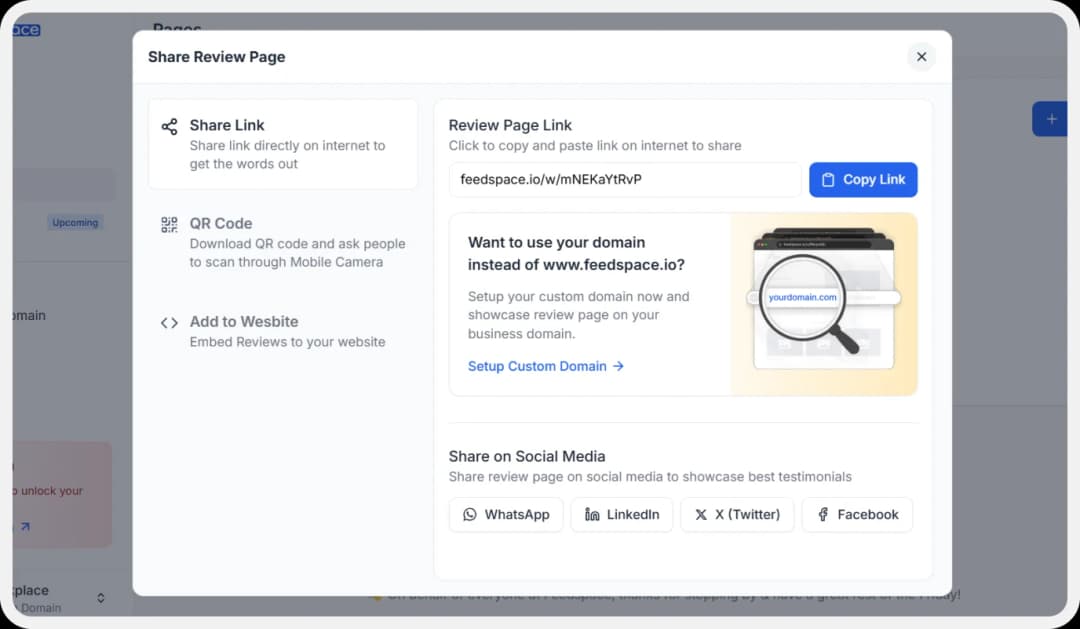
Step 8: Save and Share!
How to Embed Google Reviews on BigCommerce?
To add Google reviews to BigCommerce, you are going to need an embed code for the Wall of Love. Let us understand how and where to find this code.
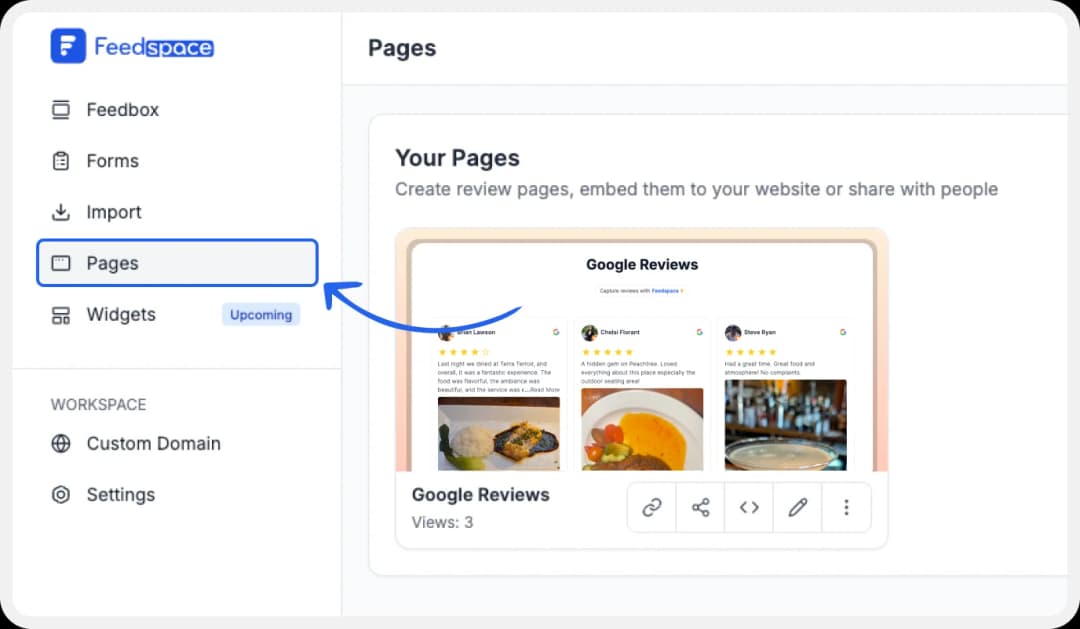
Step 1: ‘Pages’
On your screen, locate the ‘Pages’ tab on the left side panel.
Step 2: Select Page
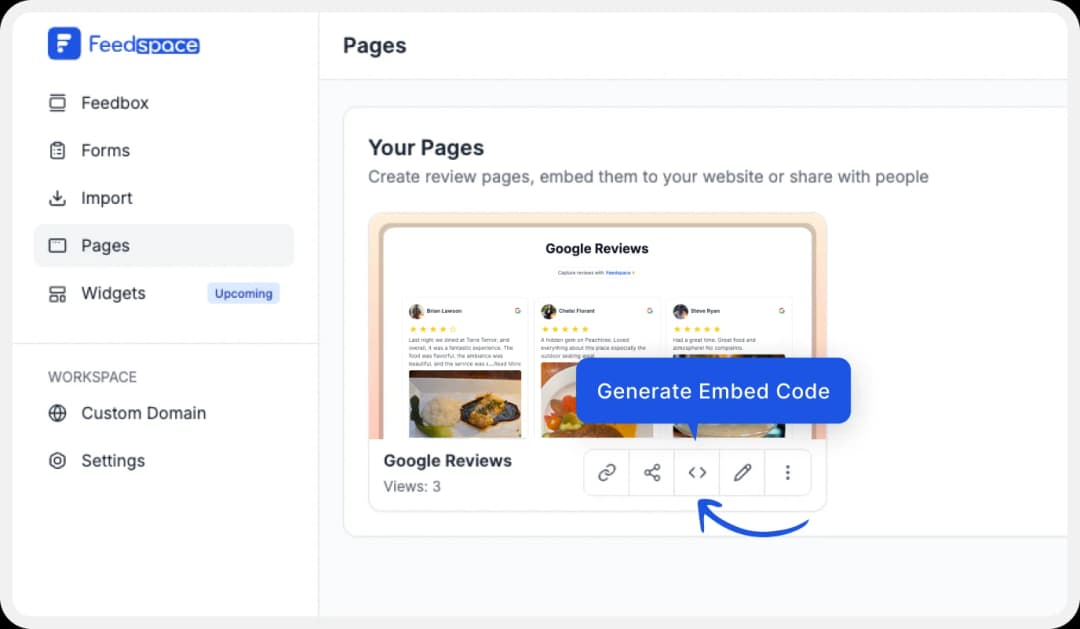
Find and select the Wall of Love you want to embed on your website. Click on the ‘<>’ button to generate an embed code for your wall of love.
Step 3: Generate Embed Code
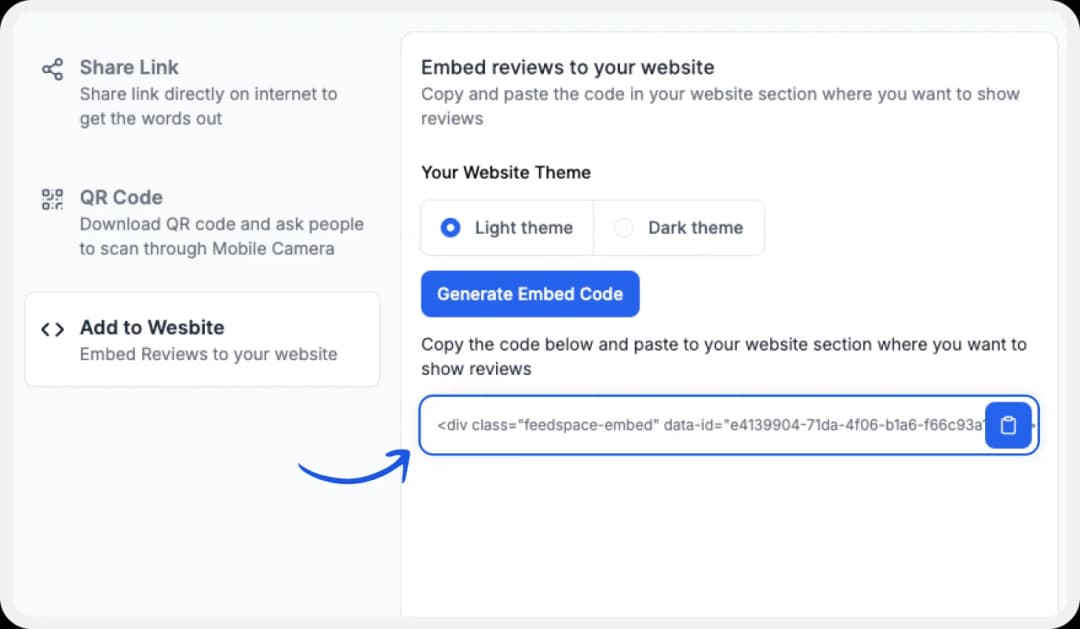
A window will open up. Here, you can select a light theme or a dark theme to match your Wall of Love with your website’s branding. Once selected, click on the ‘Generate Embed Code’ button.
Step 4: Copy and Paste the Code
Copy the code provided.
Step 5: BigCommerce website
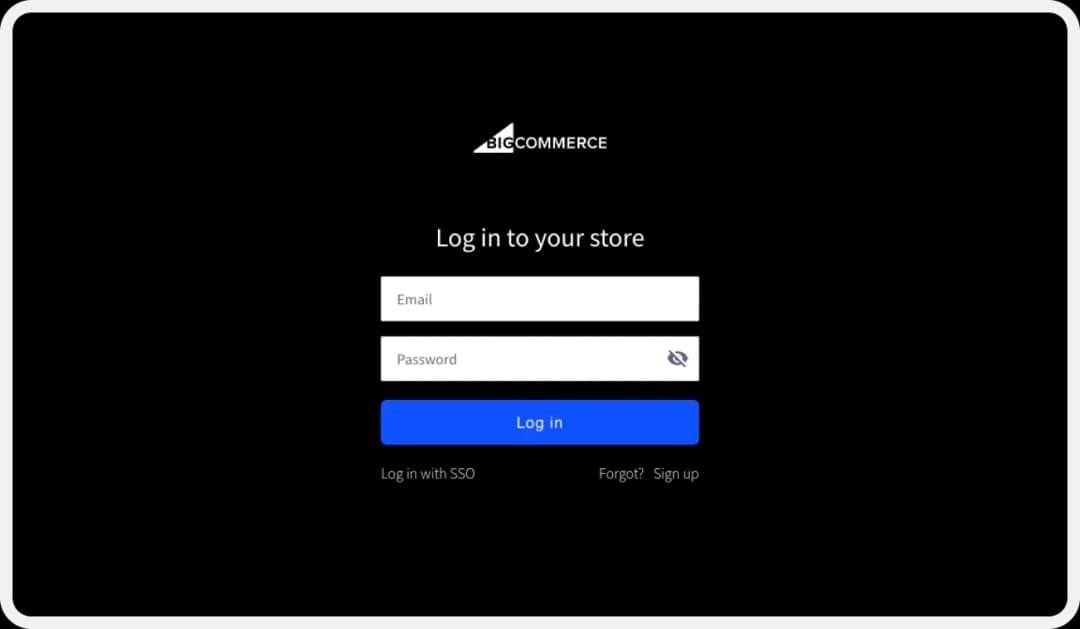
Log in to BigCommerce and click on the ‘Themes’ button.
Step 6: Storefront
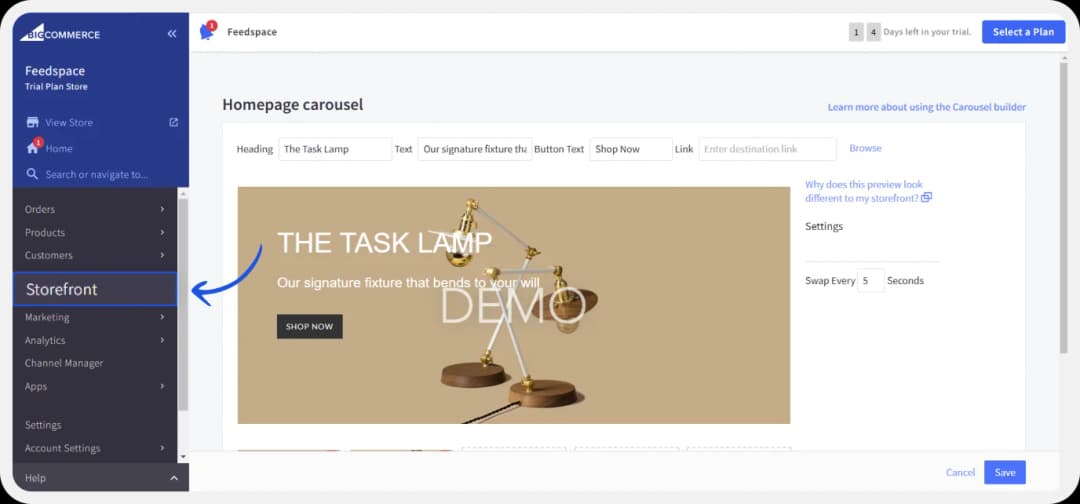
Once you’re on the dashboard, navigate to the left side panel and click on ‘Storefront’ and scroll down to click on ‘Webpages’.
Step 7: Webpage
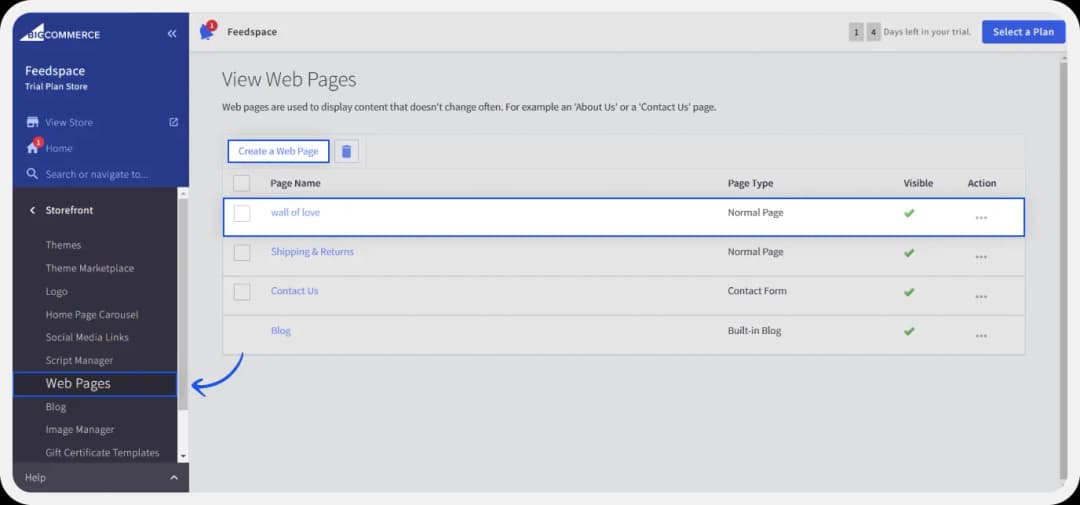
Here, you can either edit and existing page or click on ‘Create a New Webpage.’ Name it ‘Wall of Love
Step 8: Add embed code
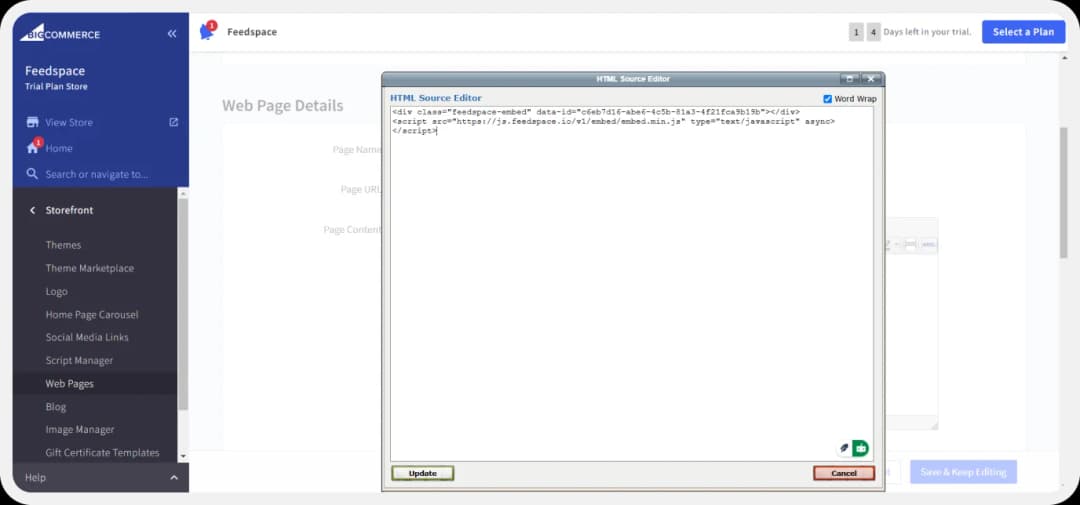
Click on Edit. Add a title and description according to your preference. Then, click on the HTML button on the far right of the text box. Paste your code here.
That’s it!
Feedspace is free forever.🔥
Try Now!
Optionally, you can also create this webpage using a template.
Here’s how:
Step 1: Storefront
Under ‘Storefront’, click on ‘Template’ and click on ‘Customize’
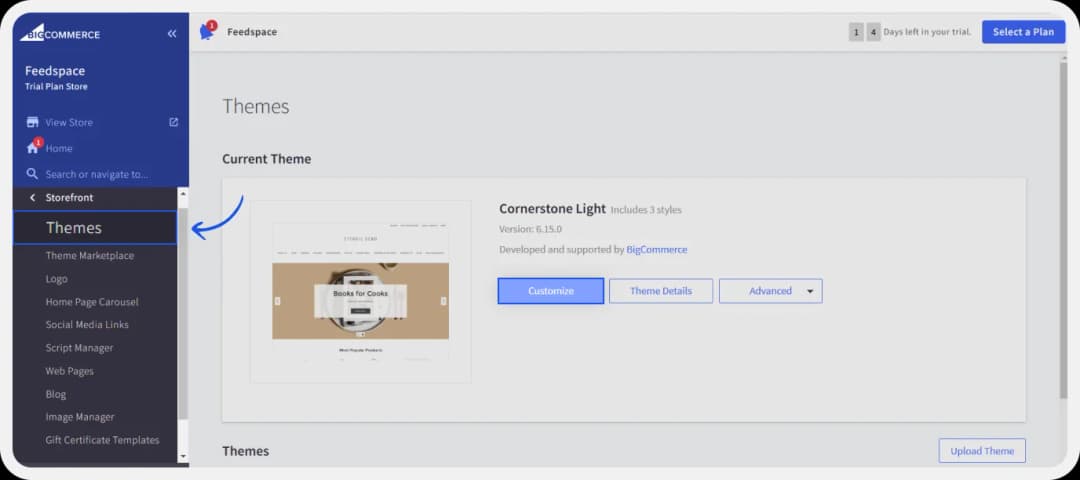
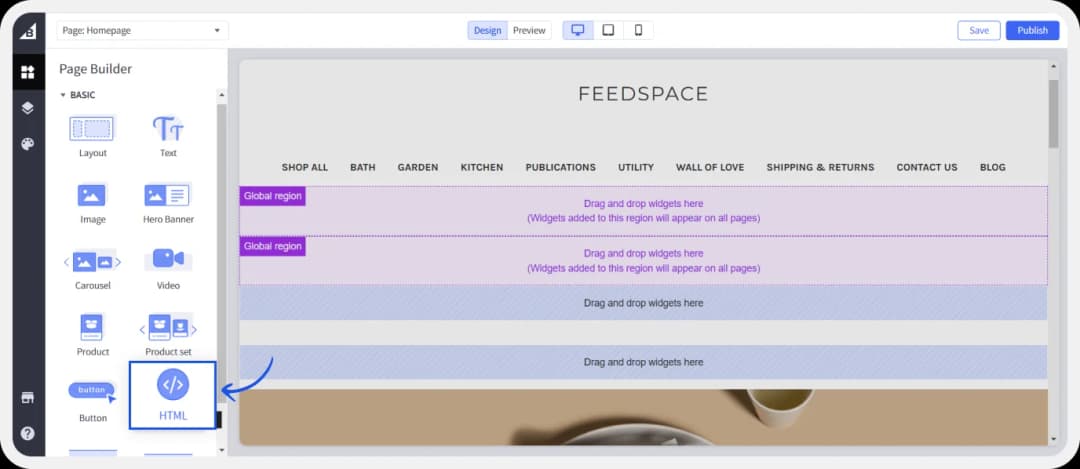
Step 2: HTML
Your next screen will show the dashboard. Here, on the left side under ‘Page builder’ locate the HTML element and place it where you want to.
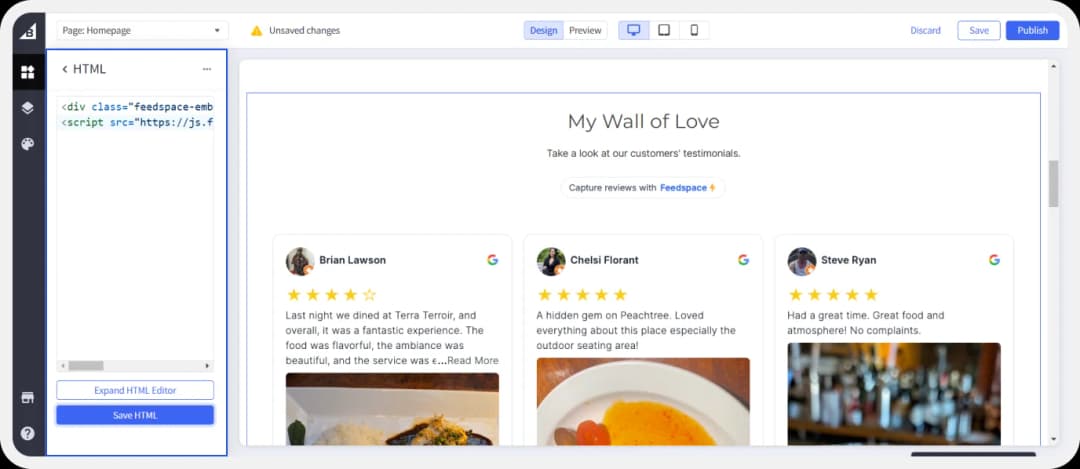
Step 3: Paste embed code.
You can now paste the copied Wall of Love code in the HTML prompt box. And click on save.
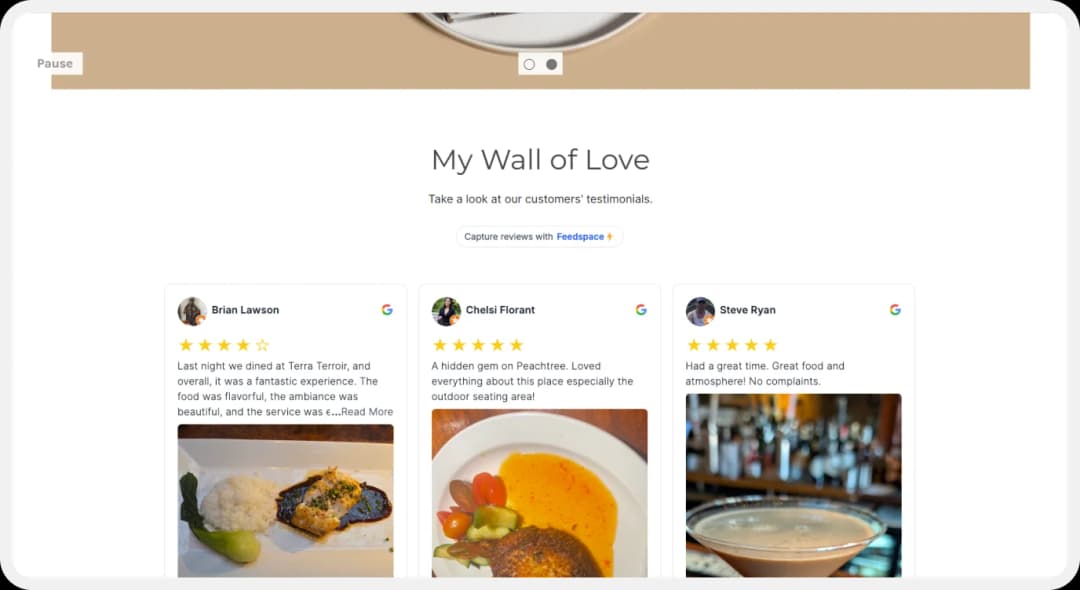
Step 4: Final Look
Here’s how the final page will look like.
Feedspace is free forever.🔥
Try Now!
Benefits of Adding Google Reviews to Your BigCommerce Store
When you add Google reviews to your BigCommerce store, you make it easier for your potential customers to trust your business. It increases credibility and boosts your brand identity too. Let’s take a look at how adding Google reviews to your BigCommerce store can be useful:
Enhanced User Experience
A huge, but underscored benefit of adding reviews to your BigCommerce website is that you can provide potential customers with additional information about your product. You can show off different use cases (experiences from different types of customers) without even having to put any additional effort into explaining it. This can be a great way to bring in customers who might not be fully confident about your product and its capabilities.
Social Proof
Reviews are the most powerful forms of social proof. Social proof is the concept that a person (potential customer) will be more likely to engage with or buy from your store if they see similar like-minded people (your past customers) doing it. The best way to show the validation of these past customers is by showing off the reviews they left behind on your website.
Brand Identity
When you add reviews from loyal customers to your website, you are building your brand’s identity. The service/product you provide, the way you interact with your customers, and even the way you respond to reviews left behind by past customers—all of these actions promote a positive brand image. This boosts your company’s reputation and even encourages users to engage with your company.
Conclusion
Testimonials and reviews are the foundation of building a business that succeeds. Collecting reviews is an essential part of running a successful marketing campaign. Reviews can make or break your campaigns. Manually displaying these collected reviews can become easy with a tool like Feedspace. Feedspace’s advanced AI capabilities can help you generate review request forms in seconds. Their all-in-one form can easily help you collect reviews in video, audio, or text form and show them off on your very own Wall of Love. Try Feedspace Today .