In today’s digital economy, the one with a powerful online presence holds the keys to the doors to success. Brands dedicate a major portion of their marketing budget towards establishing a prominent online presence. This helps them set the tone for nearly all of their marketing efforts thereafter.
Platforms that host e-commerce stores, such as Shopify, play a vital role in creating an online store. Well-known brands such as Louis Vuitton, Redbull, and Steve Madden use Shopify’s unique capabilities to host their e-commerce business.
Shopify hosts about 10.2% of ecommerce websites worldwide, nearly 30% of all ecommerce websites in the US alone!
Apart from needing a well-designed website, brands elevate their presence virtually by publishing reviews collected from loyal customers. These reviews boost the credibility, image, and reputation of the brand.
Testimonial collection tools like Feedspace can help you simplify the process of collecting and displaying testimonials on your website. Let’s explore.
Use Feedspace to Add Google Reviews on Your Shopify Website
You might wonder what exactly Feedspace does.
Simply put, Feedspace helps in collecting video, audio, or text-based reviews, importing reviews from numerous platforms, generating forms to collect these reviews, and displaying them on your very own Wall of Love.
Feedspace is a testimonial software. It minimizes the effort that you need to put into review management, saving time and money. Feedspace’s tech allows you to embed these reviews into your Shopify store using a Wall of Love. With the rise of e-commerce product review apps, managing customer feedback has become easier than ever.
Anchor: ecommerce product review app
Importing reviews from top platforms like Google can be made easy with Feedspace.
How to Import Google Reviews in Feedspace?
Step 1: Create a Feedspace Account
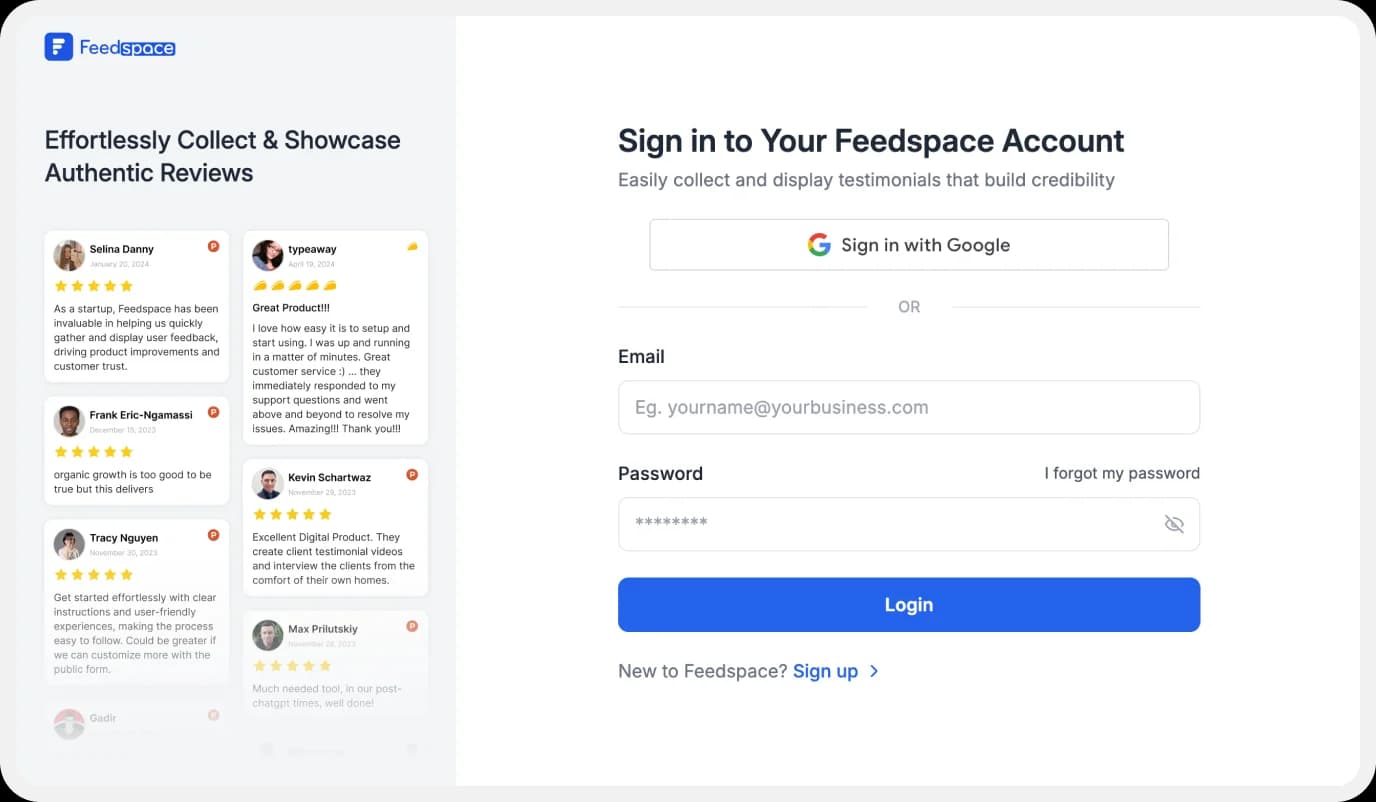
Use your Google credentials to create a new account with Feedspace or log into an existing one.
Step 2: Import Google Reviews
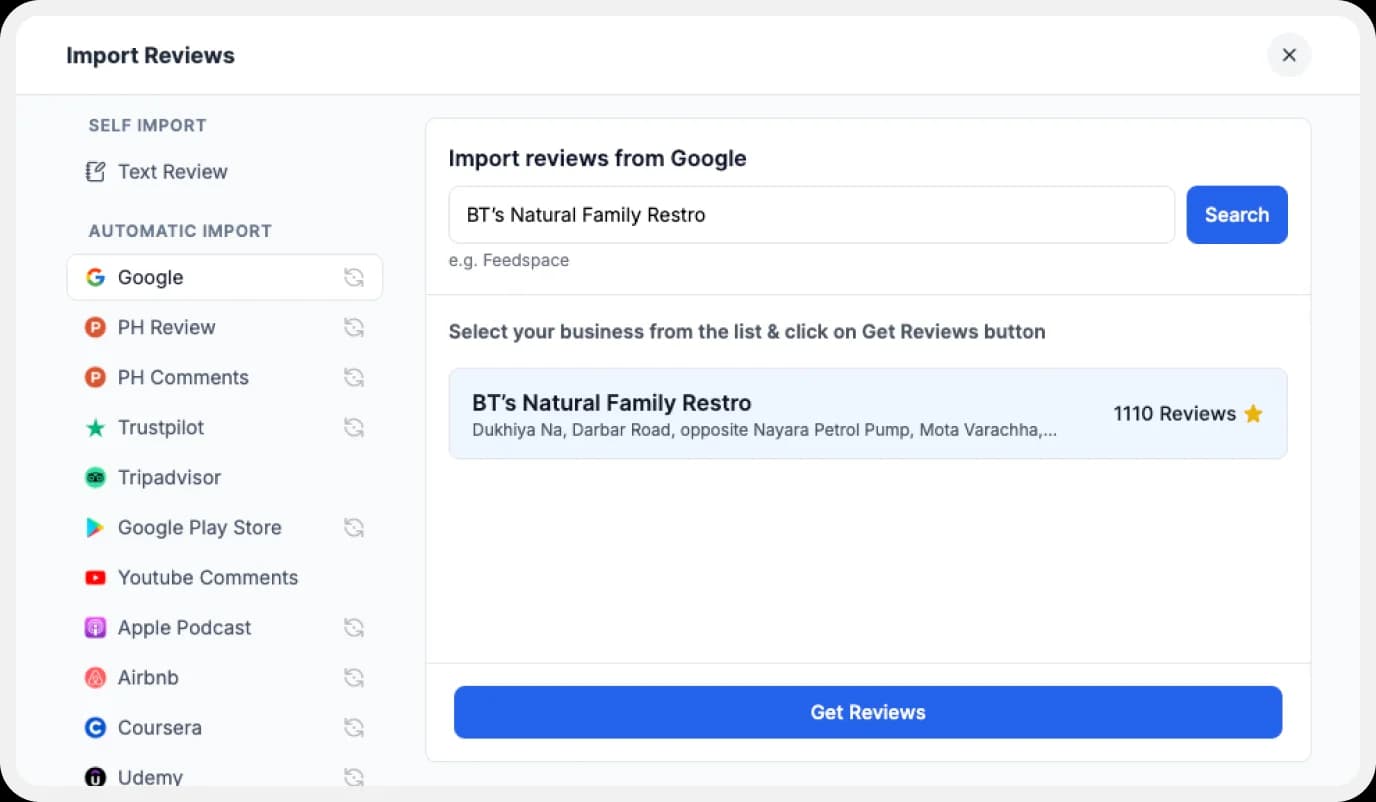
On the left side panel of your admin home page, locate ‘Import’ and click on it. From the list, select Google. In the search bar, type in your business name.
A list with all businesses that match will show up under the search bar. Select your business’ name and finally click on ‘Get reviews’.
Step 3: Preview
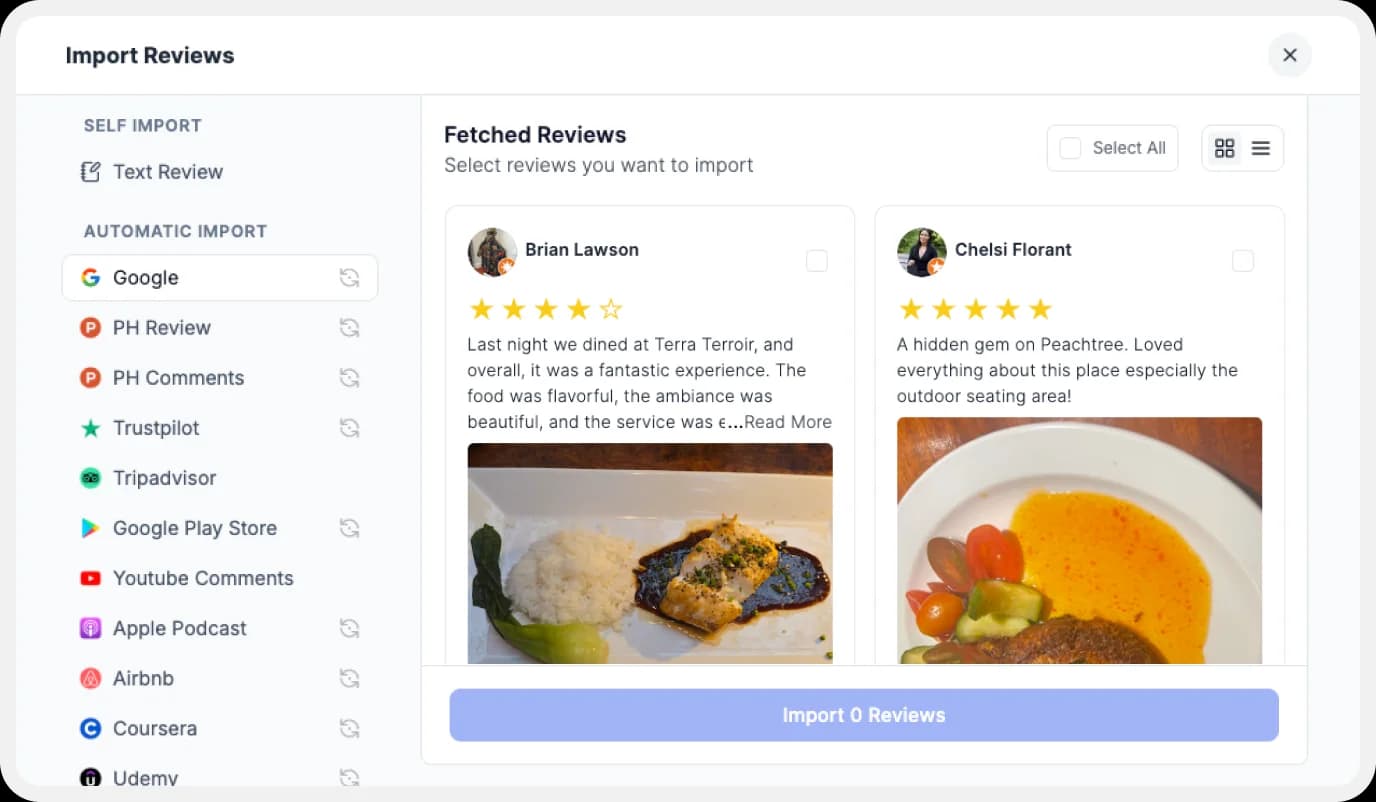
Feedspace will show you a preview of the reviews that can be imported from Google.
Step 4: Pick Your Favorites
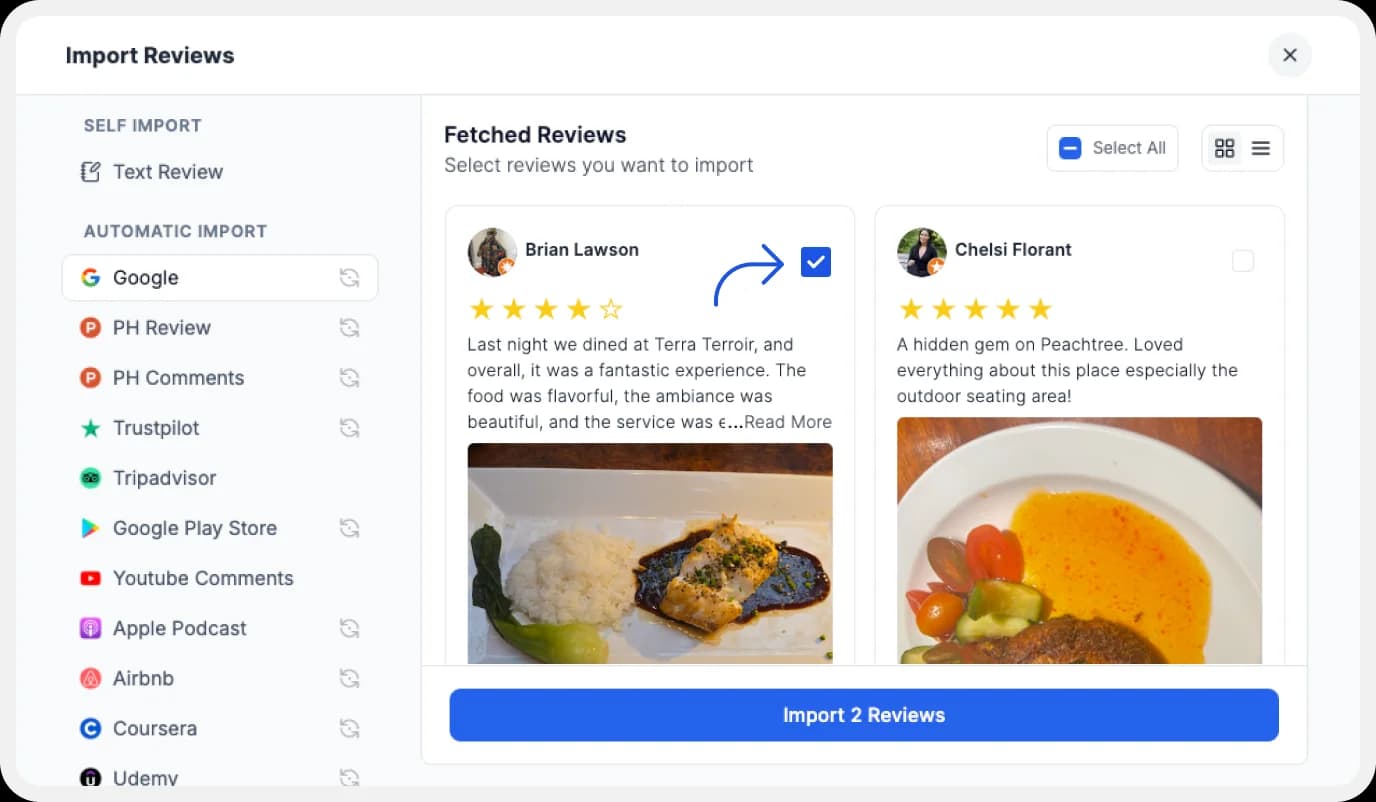
Select the reviews you want to import. You can directly click on the ‘Select All’ button on the right to import all reviews at once. You can share the imported reviews on your very own Wall of Love.
But what’s a Wall of Love? Let’s check out below.
Step 5: Start Building A Wall of Love
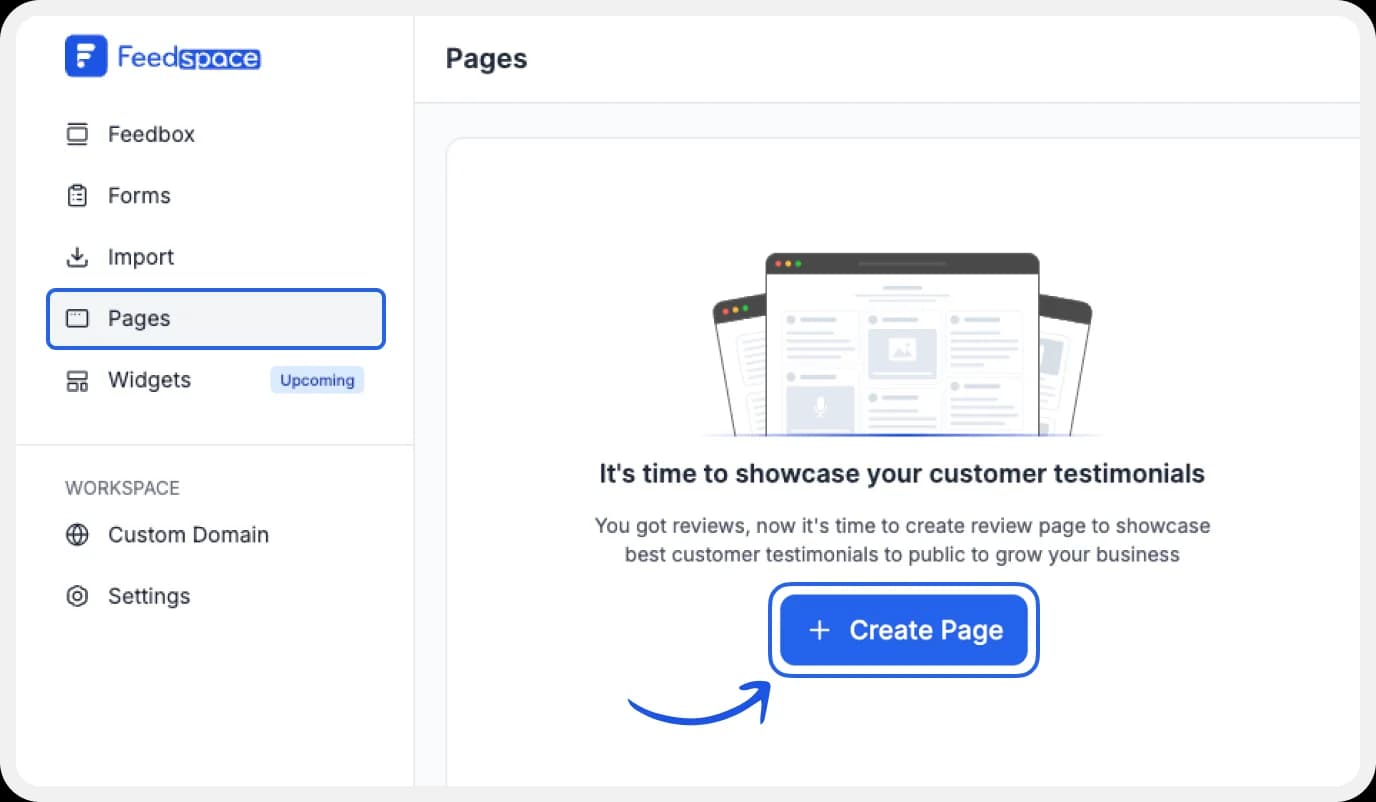
Go to the ‘pages’ tab on the left side panel. Here you can begin building a new ‘Wall of Love‘. Click on ‘+Create Page’ and name your page.
Step 6: Select Google Reviews
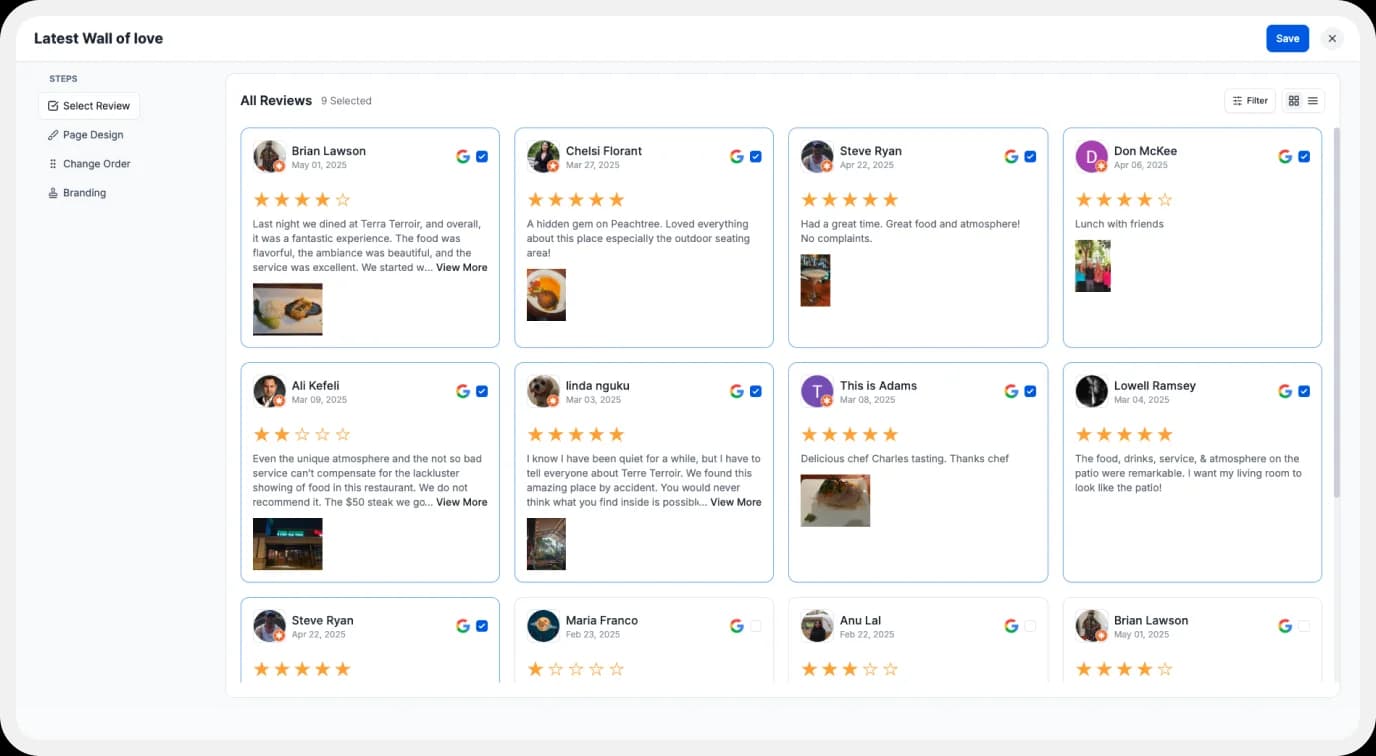
Pick the reviews you would like to highlight from all the ones you have imported.
Step 7: Beautify Your Wall of Love
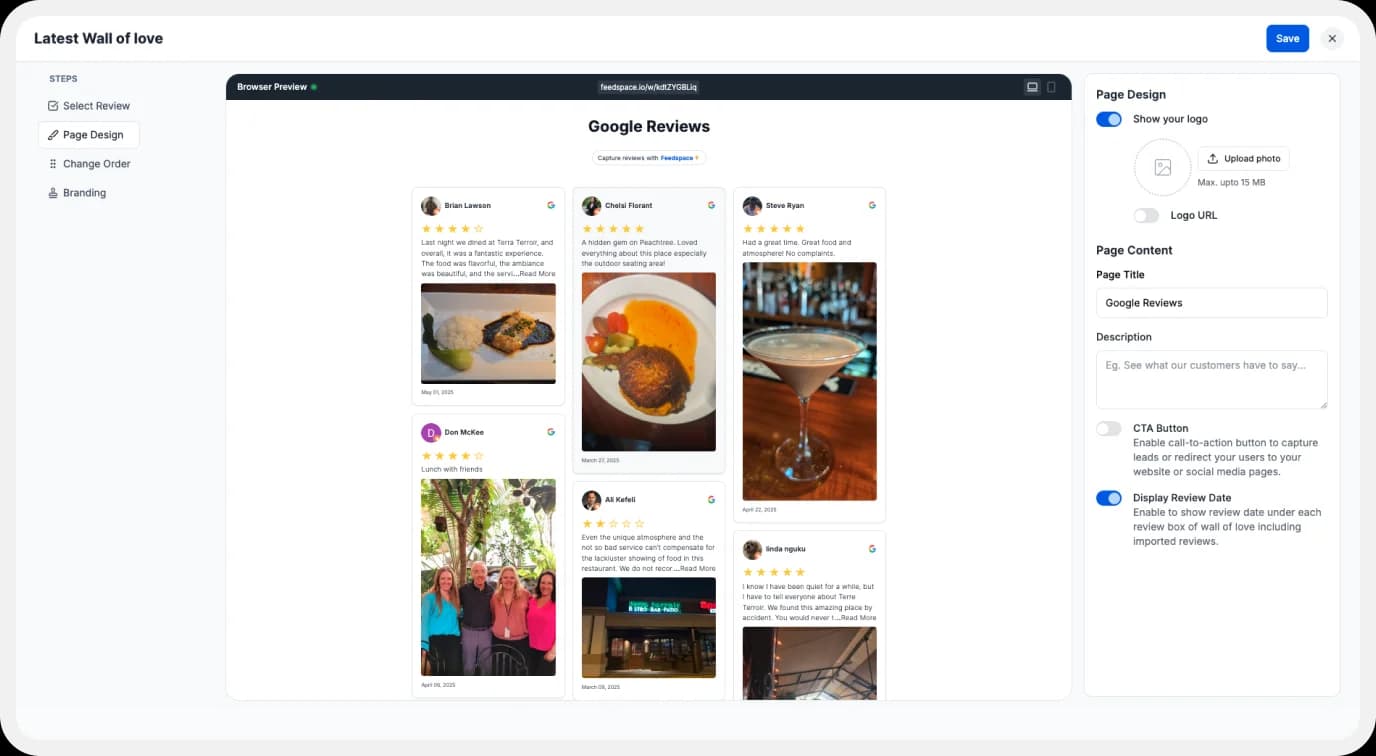
Display settings for customizing the Wall of Love.
Make your Wall of Testimonial interesting with:
- Page Logo: Upload your brand logo.
- Page Title & Message: Write a catchy title and message for your Wall of Love.
- Button: To redirect to other webpages
Additionally, you can also customize the branding on the Wall of Love page. You can opt to use your personal domain and even remove the Feedspace branding.
Step 8: Save and Share!
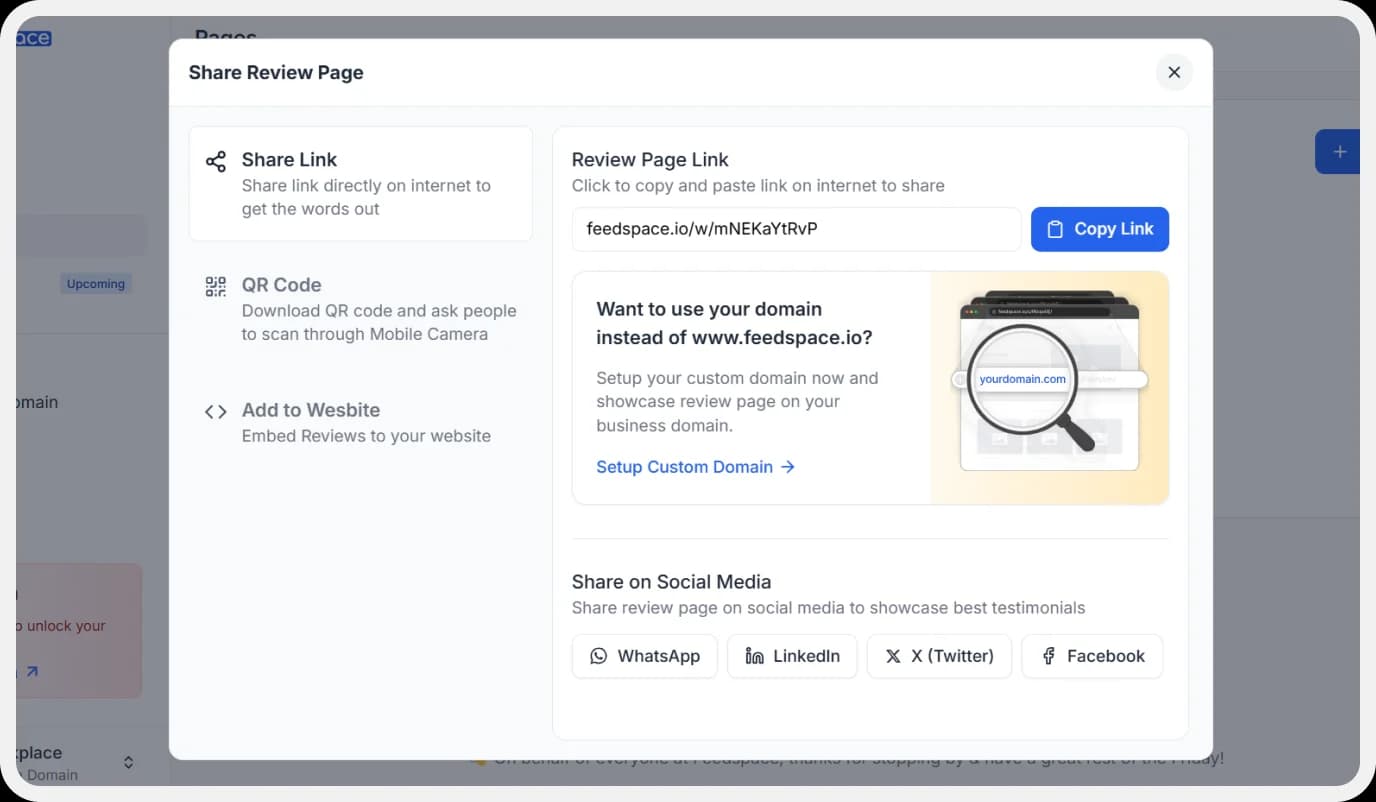
Finally, click the ‘Save’ button on the top right. There you have it! You have now built your first Wall of Love. Don’t forget to share it with the world!
Feedspace is free forever.🔥
Try Now!
How to Embed Google Reviews on Shopify?
To add Google reviews to Shopify, you are going to need an embed code for the Wall of Love. Let us understand how and where to find this code.
Step 1: ‘Pages’
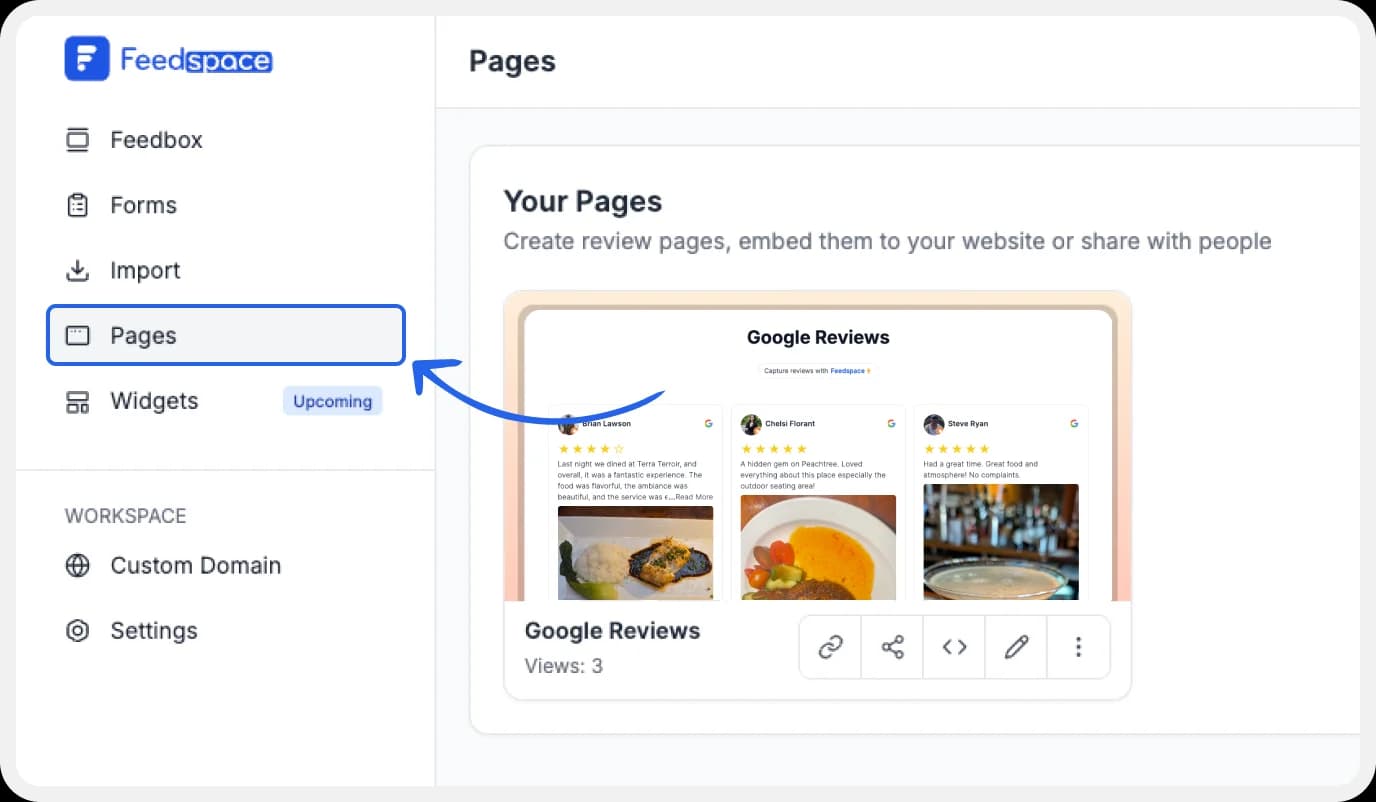
On your screen, locate the ‘Pages’ tab on the left side panel.
Step 2: Select Page
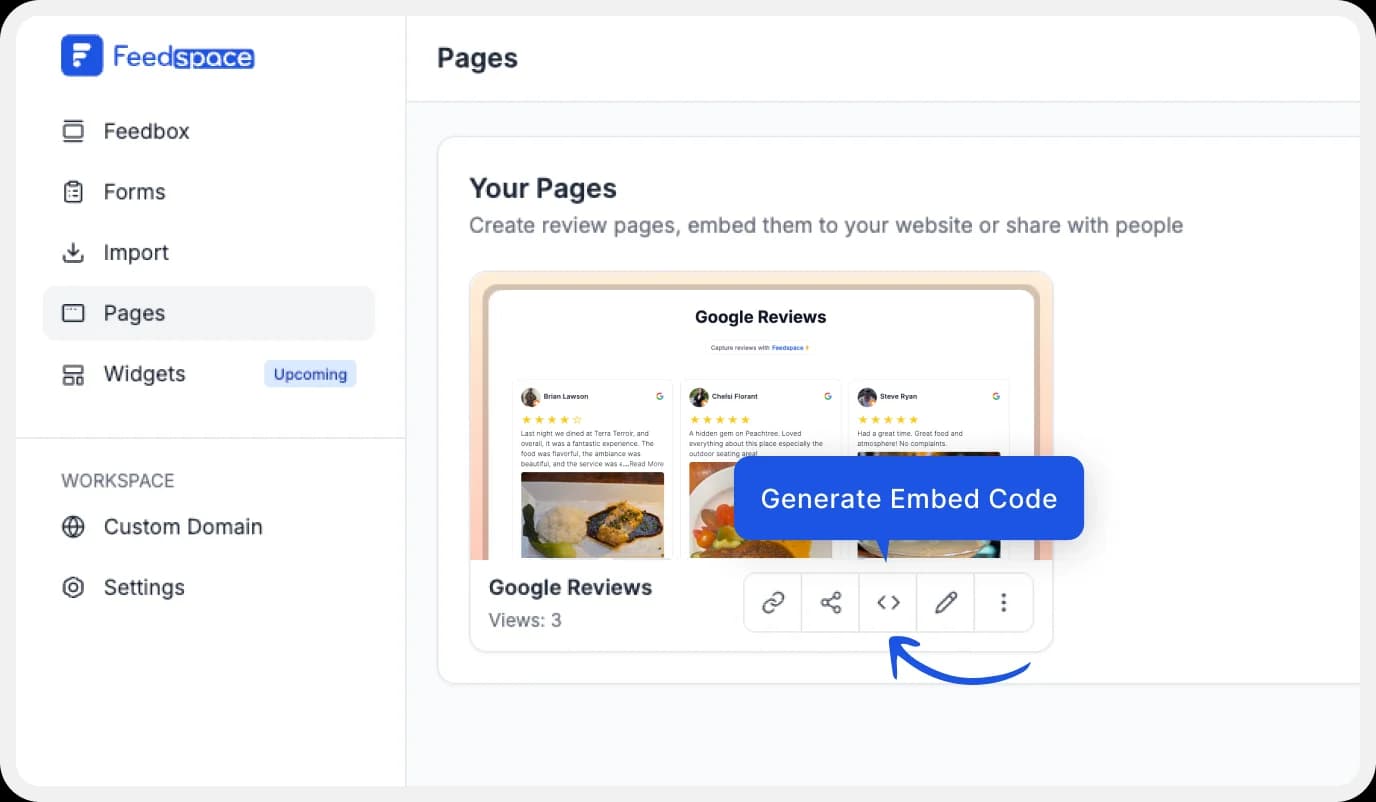
Find and select the Wall of Love you want to embed on your website. Click on the ‘<>’ button to generate an embed code for your wall of love.
Step 3: Generate Embed Code
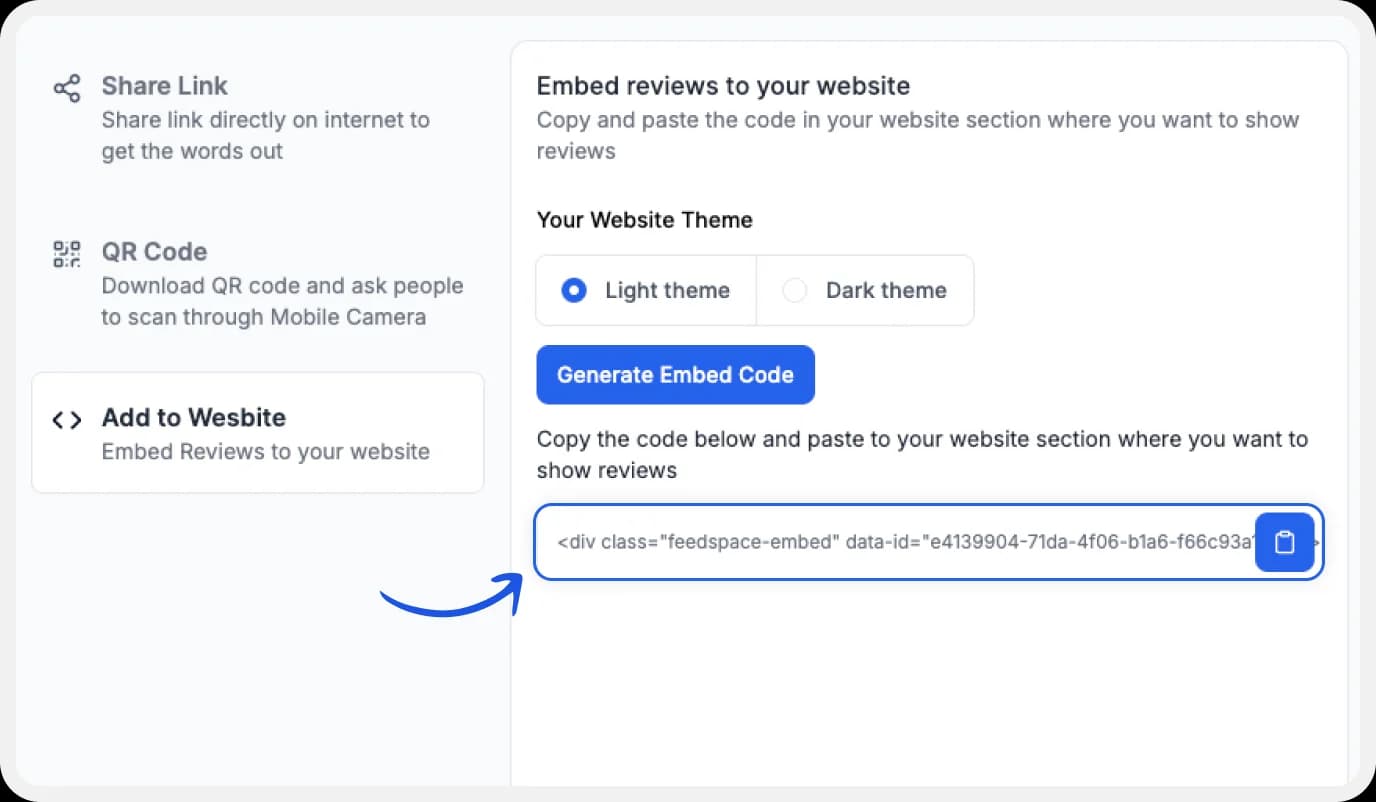
A window will open up. Here, you can select a light theme or a dark theme to match your Wall of Love with your website’s branding. Once Selected, click on the ‘Generate Embed Code’ button.
Step 4: Copy and Paste the Code
Copy the code provided.
Step 5: Website Editor on Shopify

Log in to Shopify and click on the ‘Themes’ button.
Step 6: Customize Themes
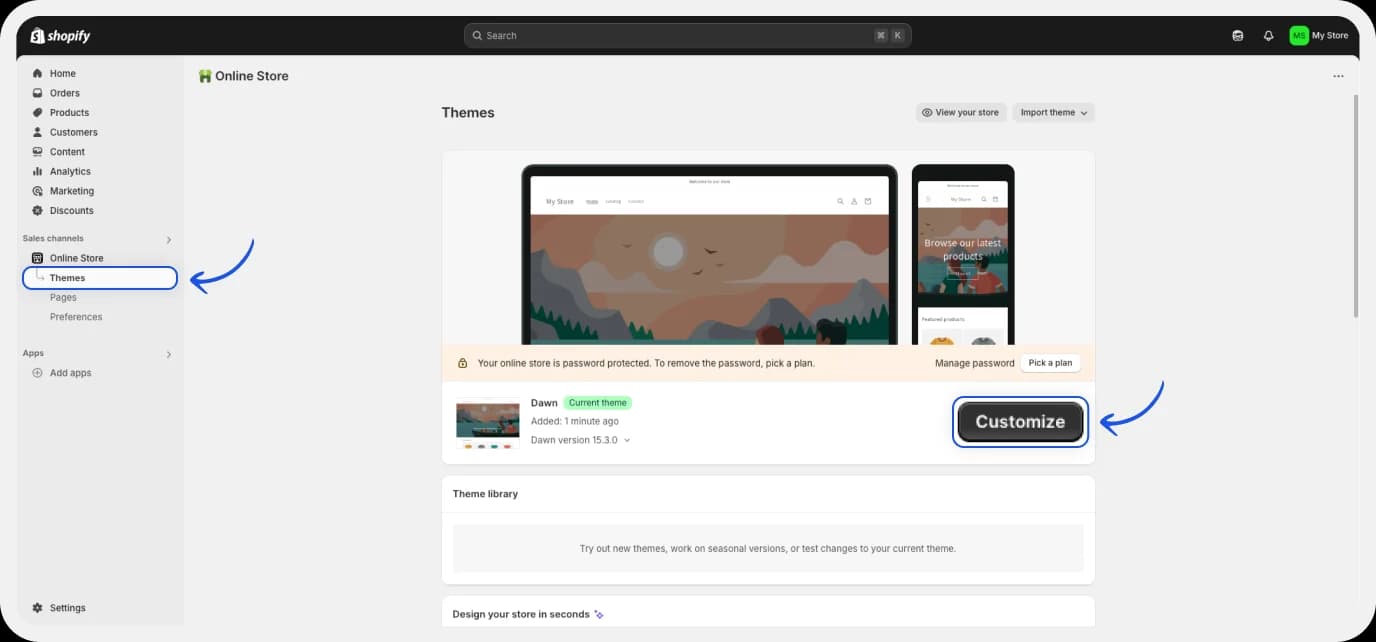
Next, Click on ‘Customize’ button.
Step 7: Customization
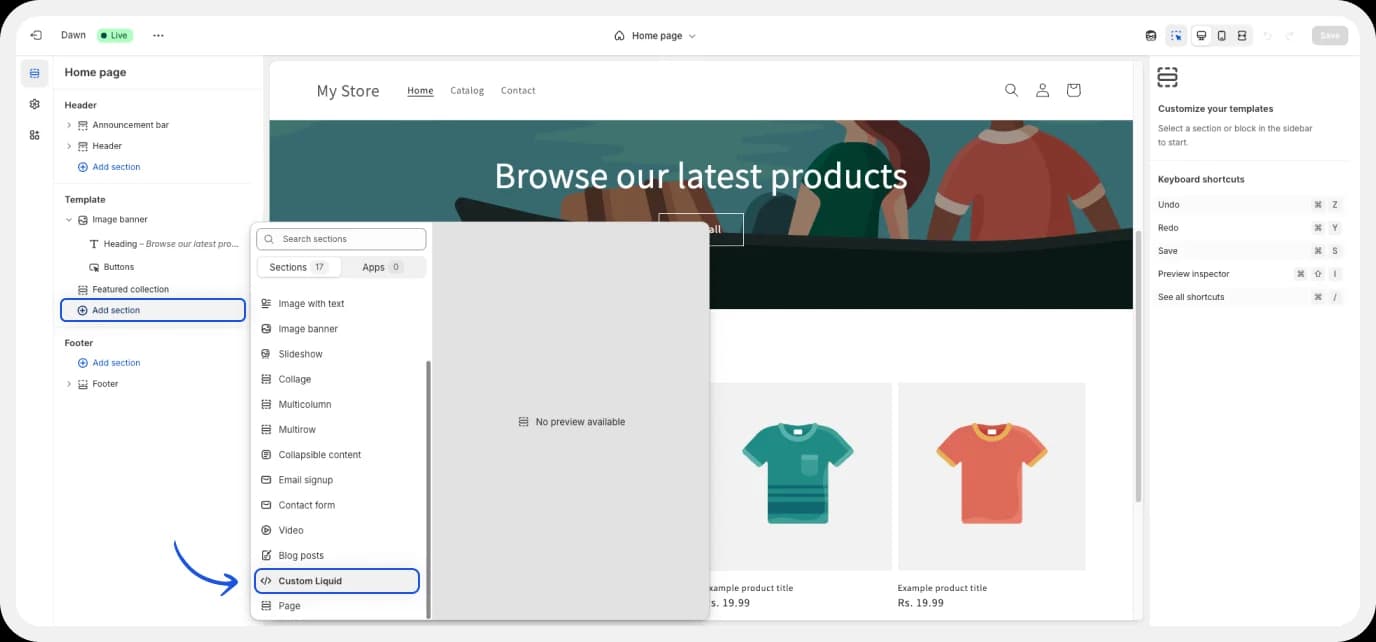
Here, you will be able to change the background, heading, etc for your website. Under the ‘Template’ dropdown menu, locate the ‘Add Section’ button.
Step 8: Add embed code
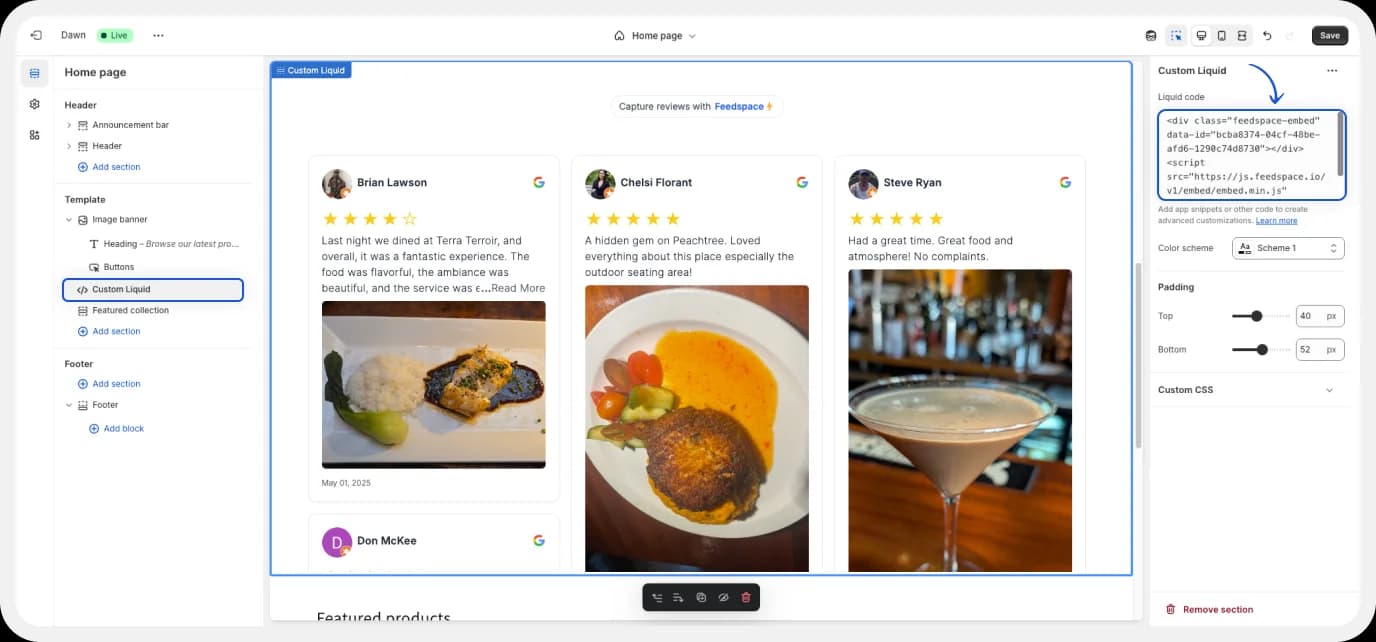
A pop-up shall appear. Locate the ‘Custom Liquid’ button. Paste the embed code of Wall of Love here. Revisit the page, and there you go!
Feedspace is free forever.🔥
Try Now!
Benefits of Adding Google Reviews to Your Shopify Store
Reviews can make or break your marketing campaign. To get the most out of your marketing efforts, ensure that you can give your customers something that they can trust on your website.
Proof Of Quality
One of the biggest advantages of adding reviews to your website is that they provide ample proof of quality. Potential customers can witness exactly what you did to make your past customers happy. They feel motivated to buy from your company, and past customers will be encouraged to keep being loyal customers.
Enhances Trust
When you display the positive impact that your product or service has had on your customer’s life, it enhances the trust that your potential customers have in your brand. Displaying it on your website can lead to increased trust and even boost credibility. It shows that you perform with integrity and care about your customers.
Indicator of Social Proof
Social proof is the idea that motivates people to engage in activities that similar people have participated in. If a customer is in the ‘consideration’ stage of the funnel, seeing people like them who have purchased from your business and bought from you can tip the scales towards your benefit. Social proof works as validation of their choice. It’s simply another way of saying,” If they tried it, I must try it too.”
Conclusion
Testimonials & Reviews can be just the push you need to encourage your potential customers to convert into loyal customers. If leveraged the correct way, reviews can be a fantastic way to build trust, integrity, and credibility. Using a testimonial collection tool like Feedspace can simply review management for your brand. It can significantly take off the load from your shoulders and help you reap all the benefits. Try Feedspace today!